For iPhone and Apple Watch
Every swing, set and rally, recorded.
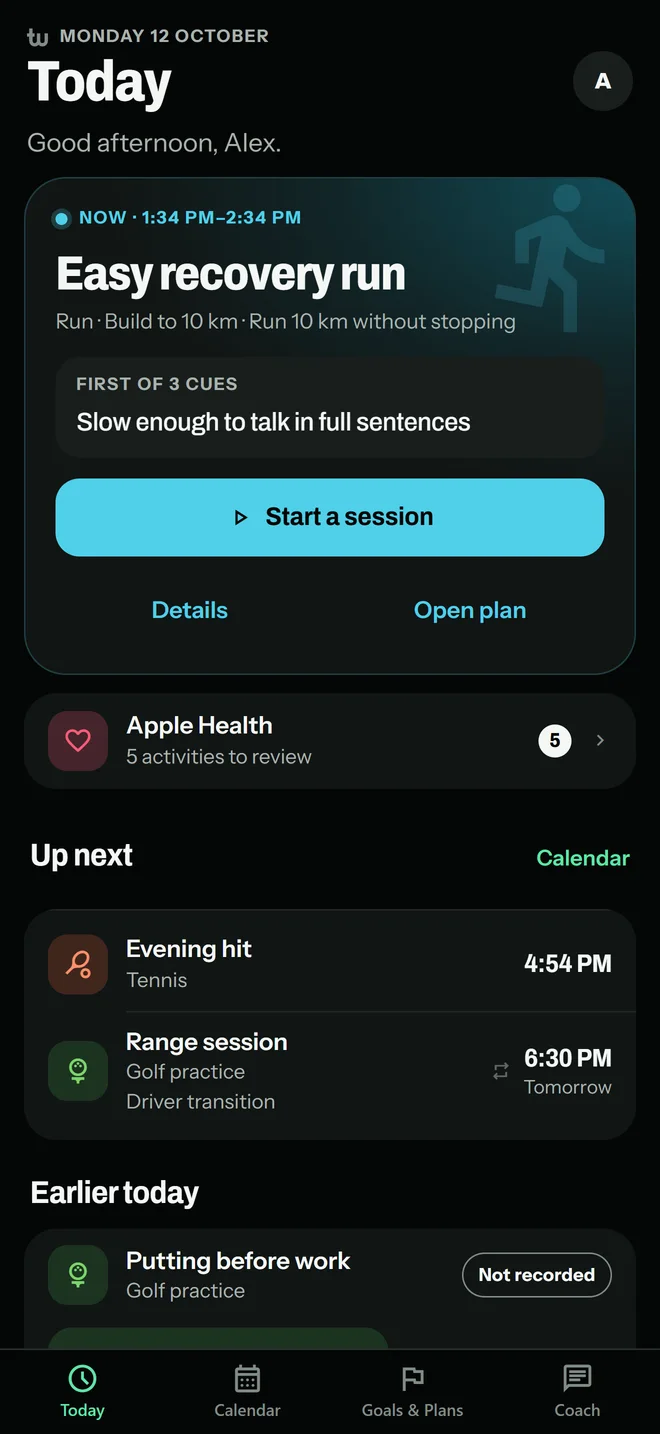
Treblew is an app for iPhone and Apple Watch that records your sport and training, and shows you how it’s going.
43 activities, from golf and tennis to running, strength and yoga.

Free to use.
Treblew Pro is optional.
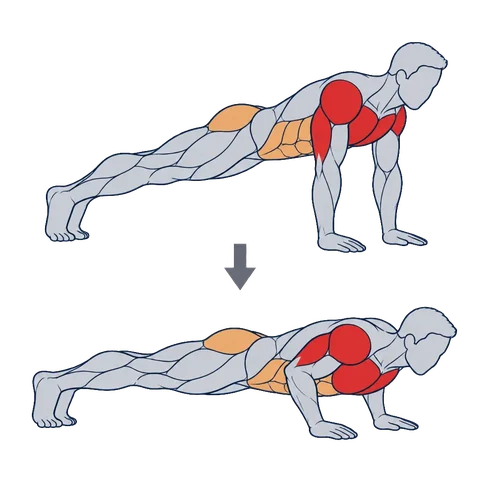
Exercise guide
Push-Up
Primary: Chest, Triceps, Shoulders
3 × 12 planned
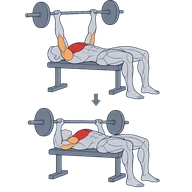
Exercise guide
Bench Press
Primary: Chest
3 × 5 planned
Weekly target

- Strength
- Golf practice
- Golf round
- Tennis
- Pickleball
- Running
- Badminton
- Squash
- Cycling
- Open water swimming
- Pool swimming
- Walking
- Circuit training
- Core
- Cross-country skiing
- Downhill skiing
- Elliptical
- Functional strength
- HIIT
- Hiking
- Indoor cycling
- Pilates
- Rowing
- Snowboarding
- Stair climbing
- Stretching
- Wheelchair, running pace
- Wheelchair, walking pace
- Yoga
- American football
- Baseball
- Basketball
- Boxing
- Climbing
- Dance
- Hockey
- Kickboxing
- Martial arts
- Paddling
- Soccer
- Table tennis
- Volleyball
- Other
Golf · At the range
From the range to the 18th green.
Tempo from your Apple Watch, an AI read of a swing you film, your own clubs, and your round hole by hole.
-
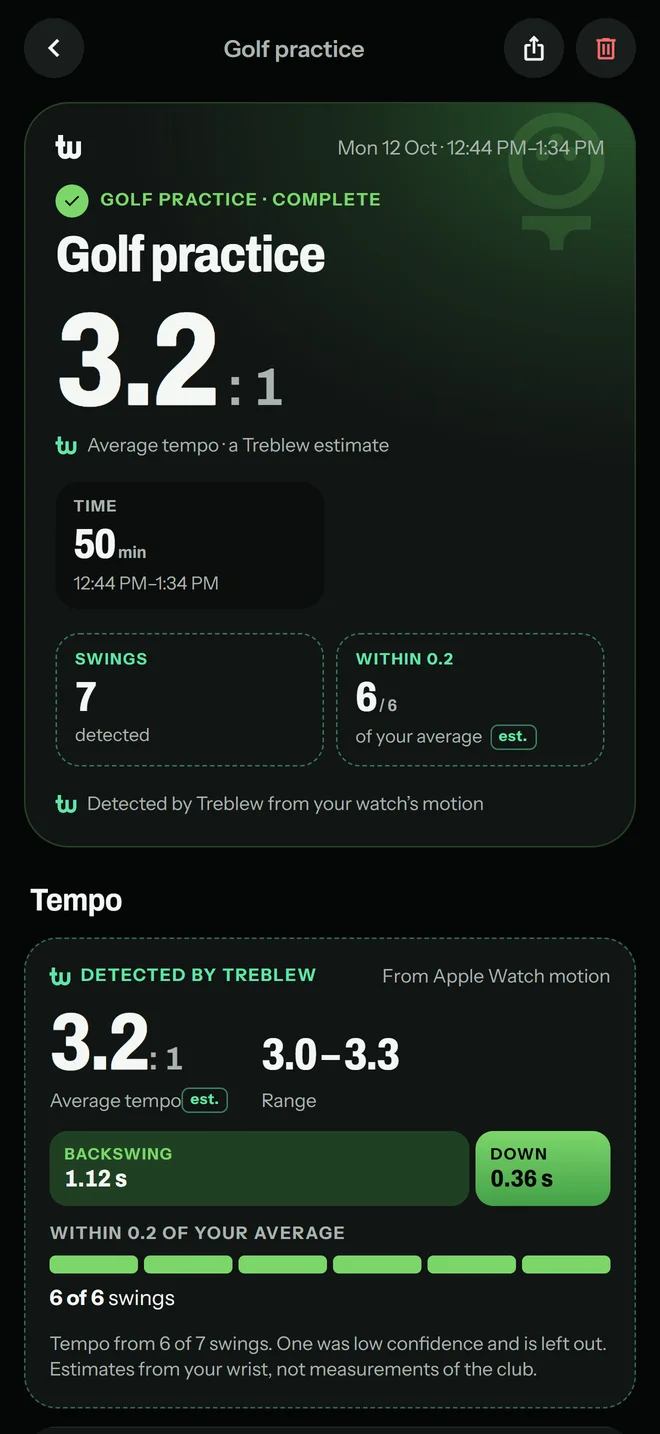
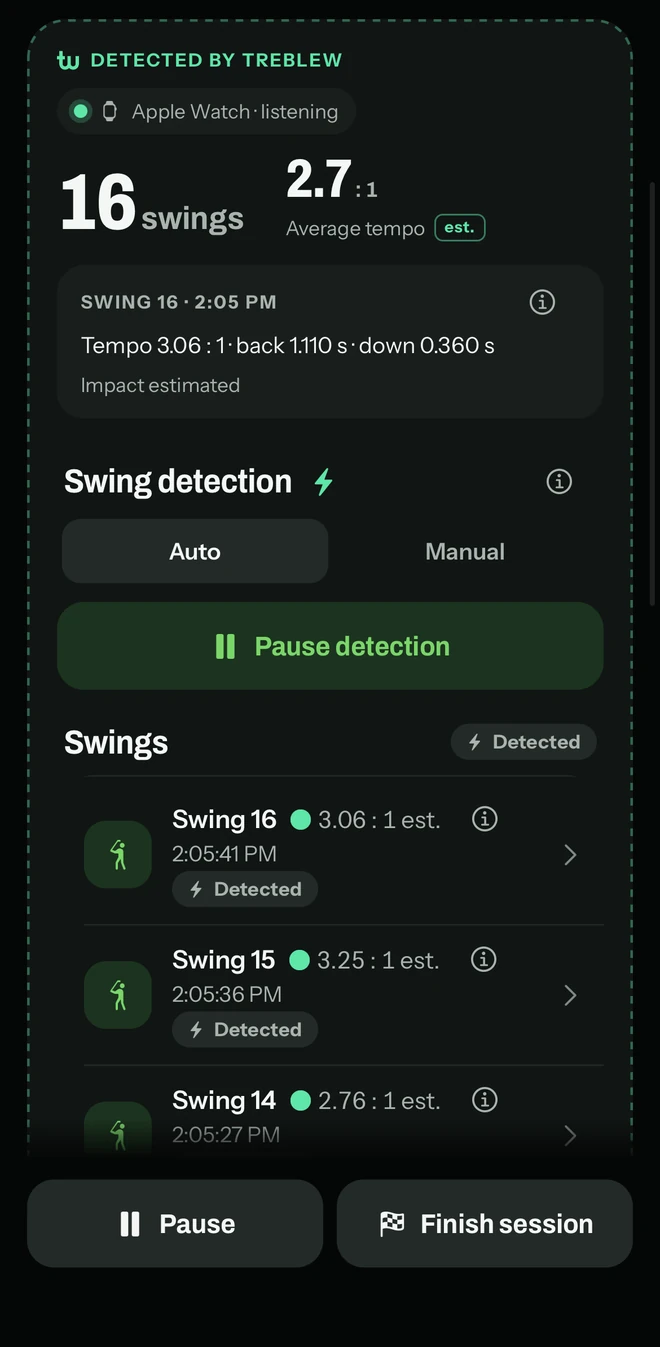
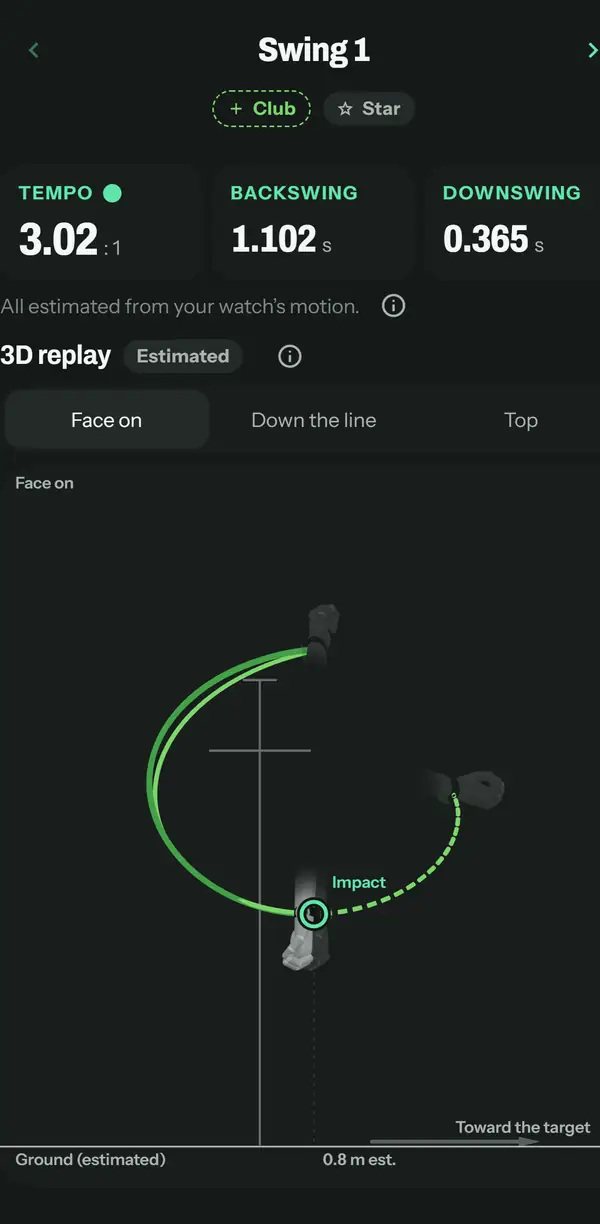
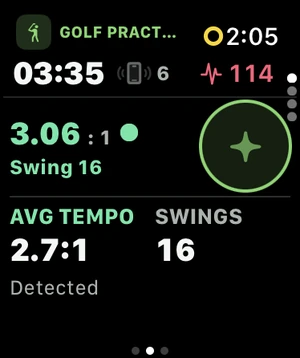
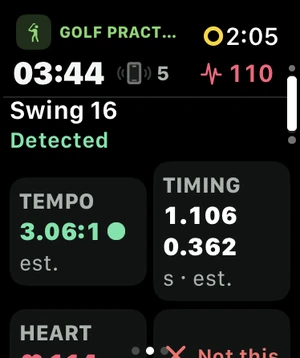
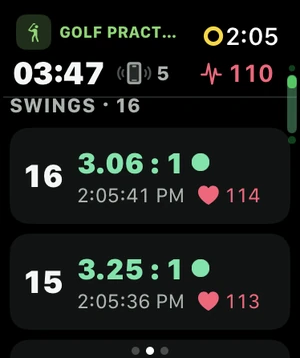
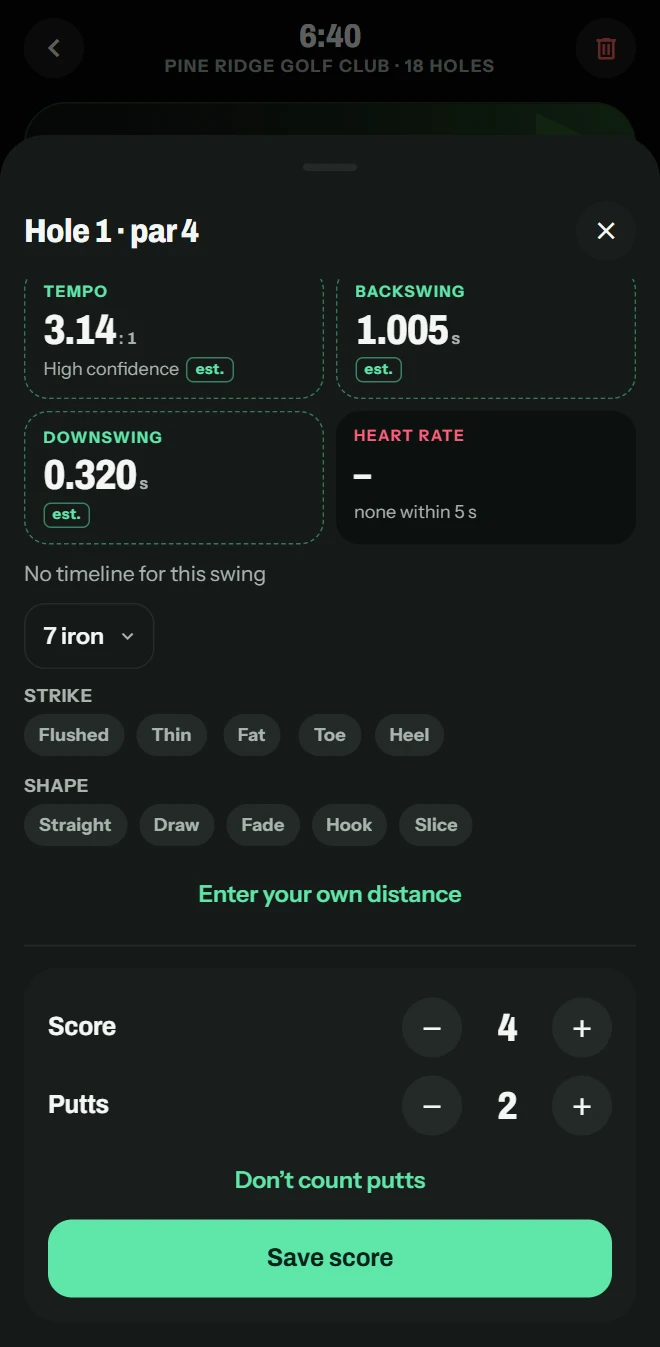
Apple Watch picks up your swings at the range and estimates its tempo, backswing to downswing. Practise with a number to aim for.
-
From your watch’s motion, estimated: each swing’s tempo, backswing and downswing, and its path to impact.
-
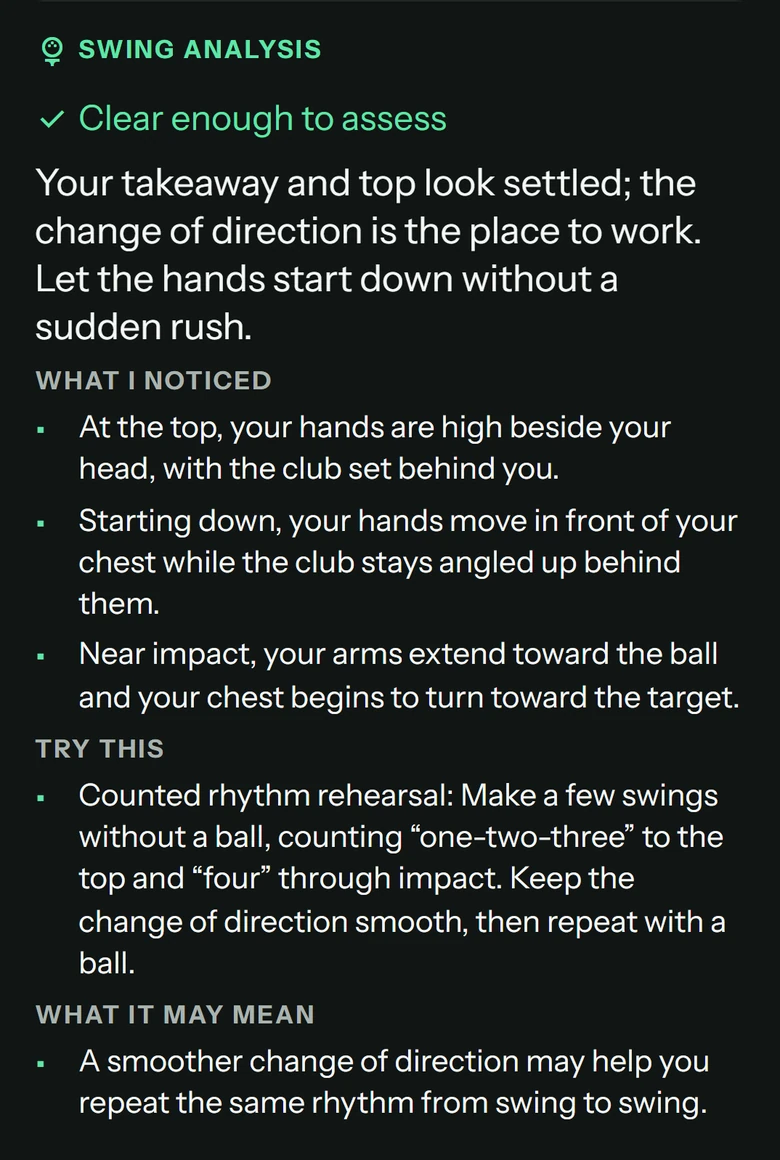
Film a swing with your iPhone. Treblew picks a few frames on your phone, and an AI reads what’s visible and what to try next. The video stays on your iPhone.
-
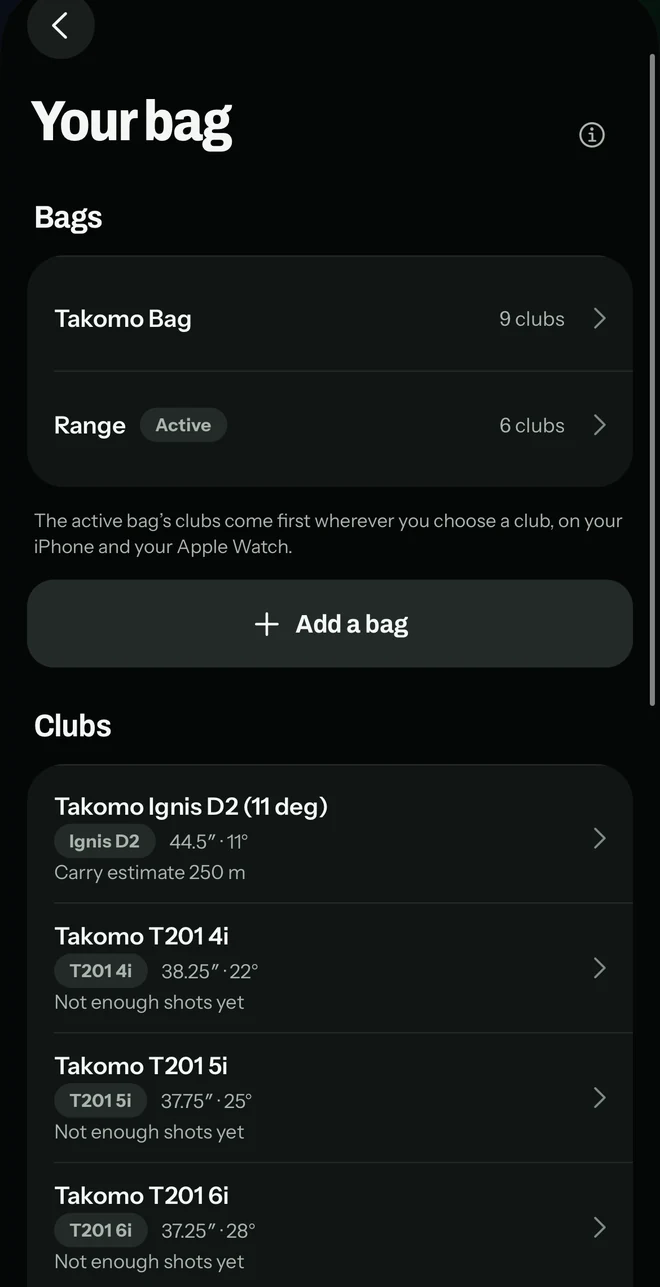
Your clubs, named, with their length and loft, in bags you choose from. Each club’s GPS distance from your rounds, its usual range, and your own carry estimate.
- Enter a swing’s carry yourself, and see your average carry by club.
- Draw your own lines on a swing clip, and play it at ¼×. Save or share it with only the lines you show, in slow motion at ¼×.
- Tag a swing or a shot: its strike, the line it started on and its curve.

Golf · On the course
Your round, hole by hole.
-
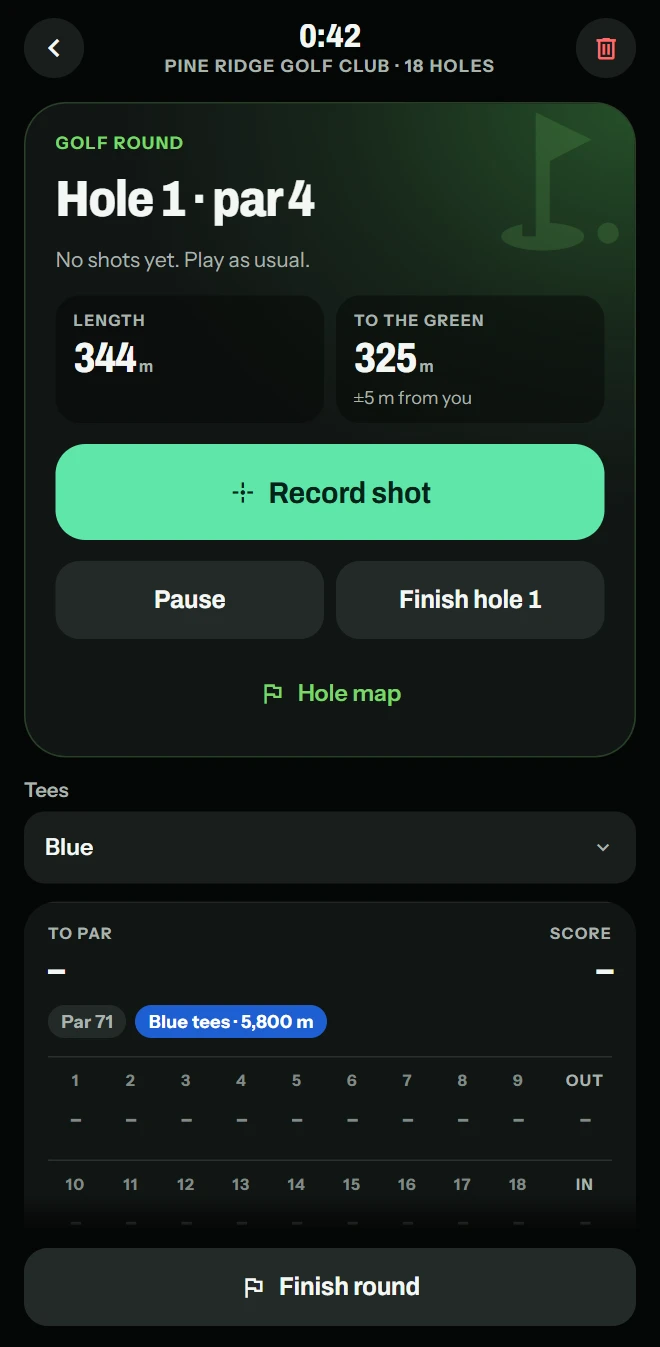
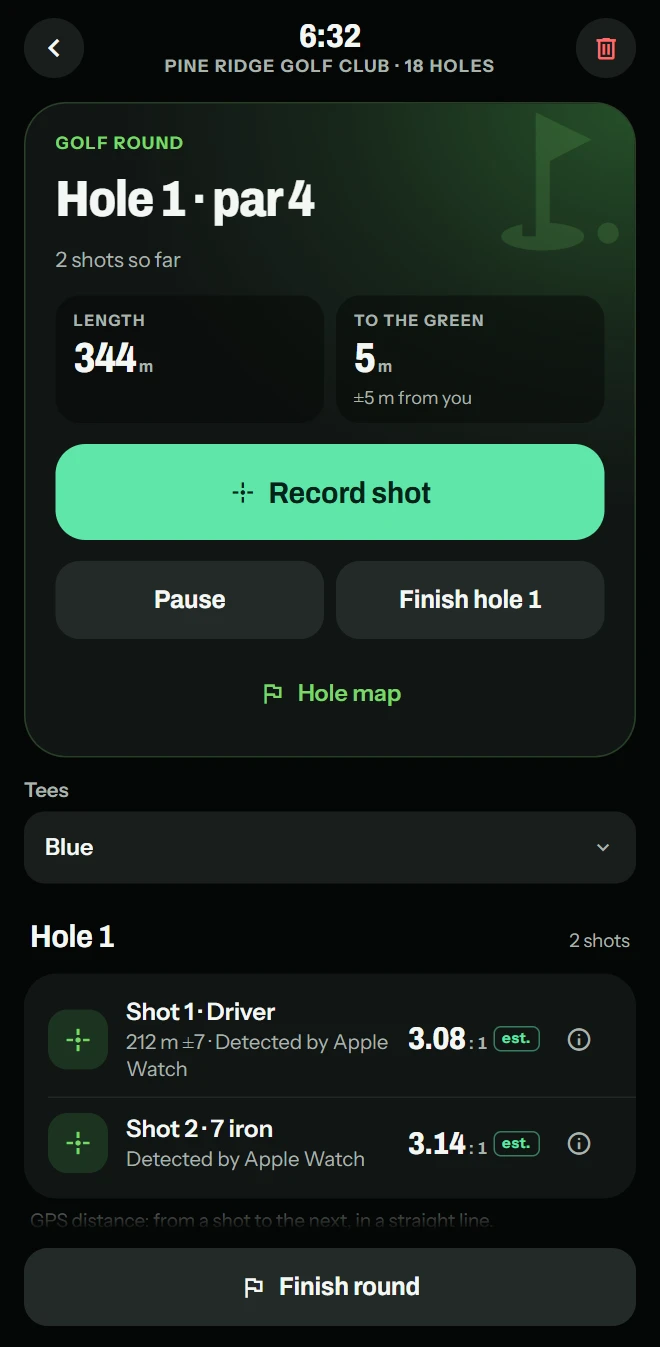
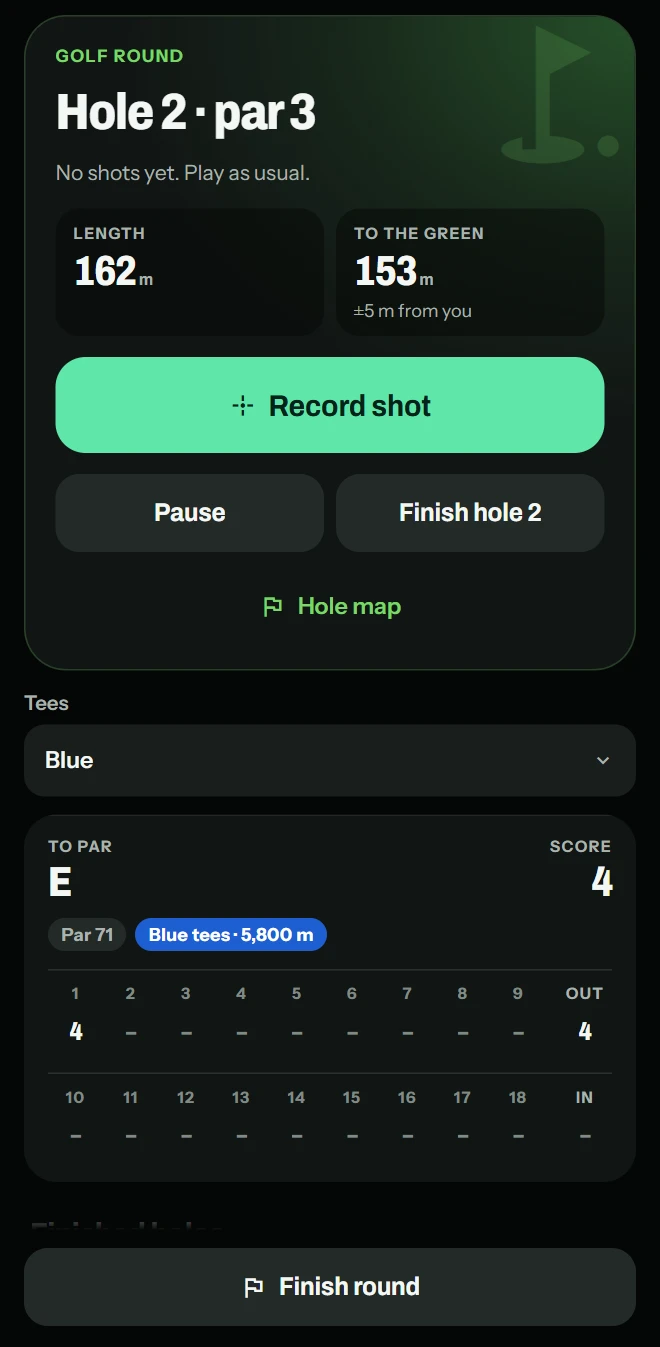
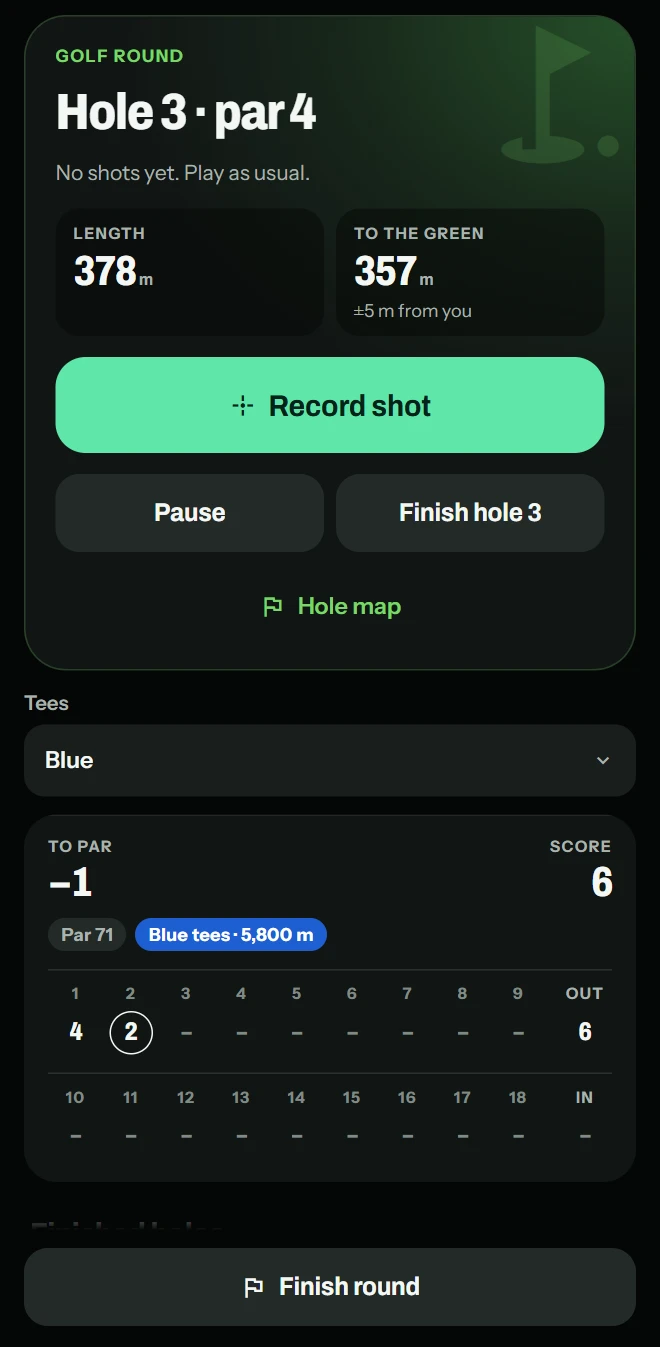
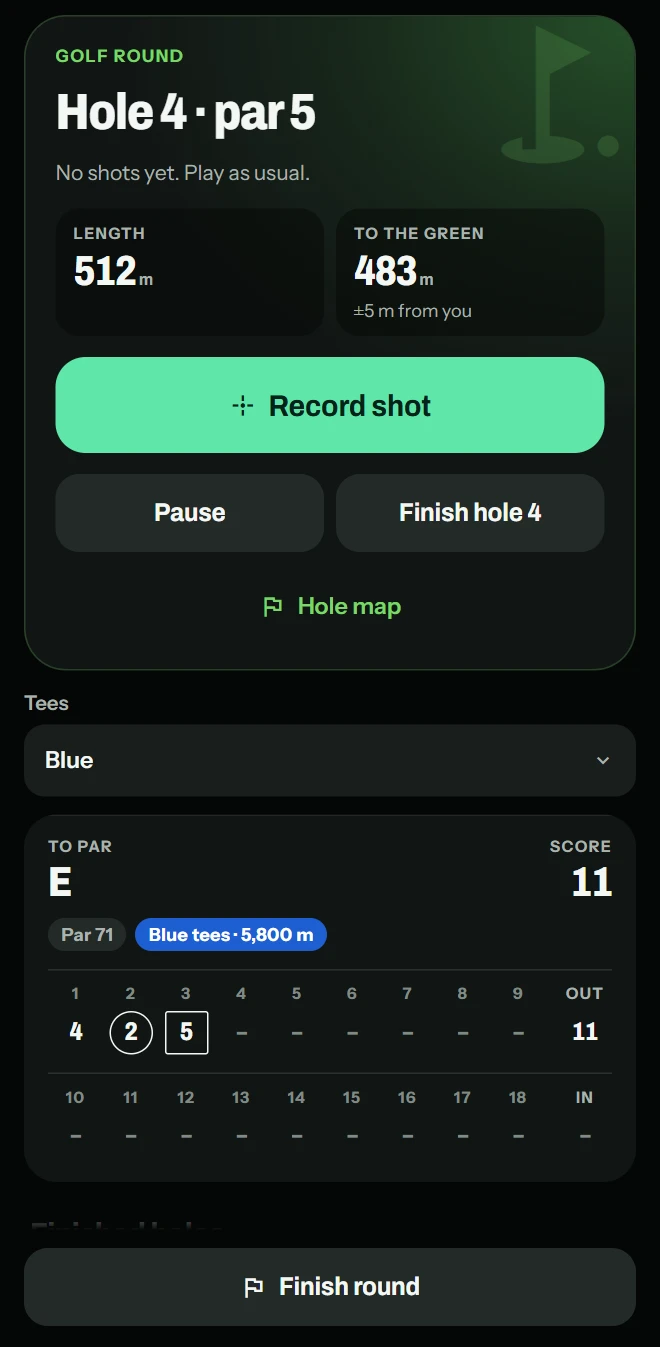
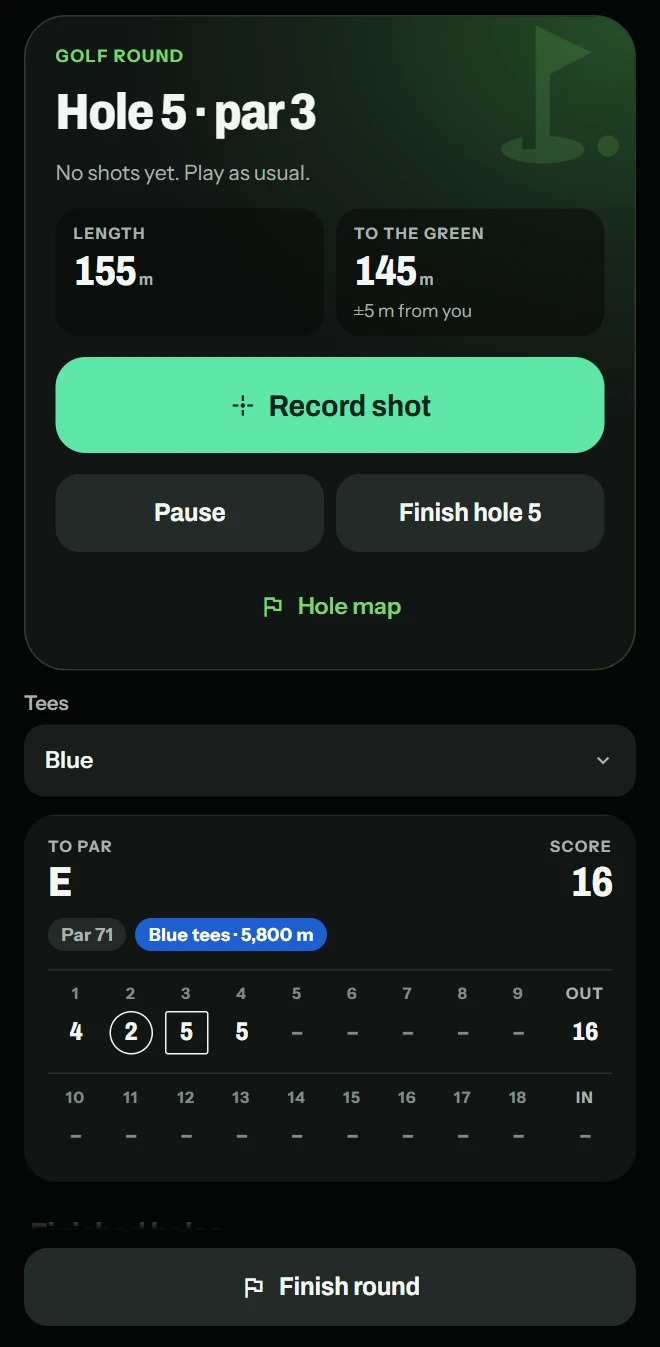
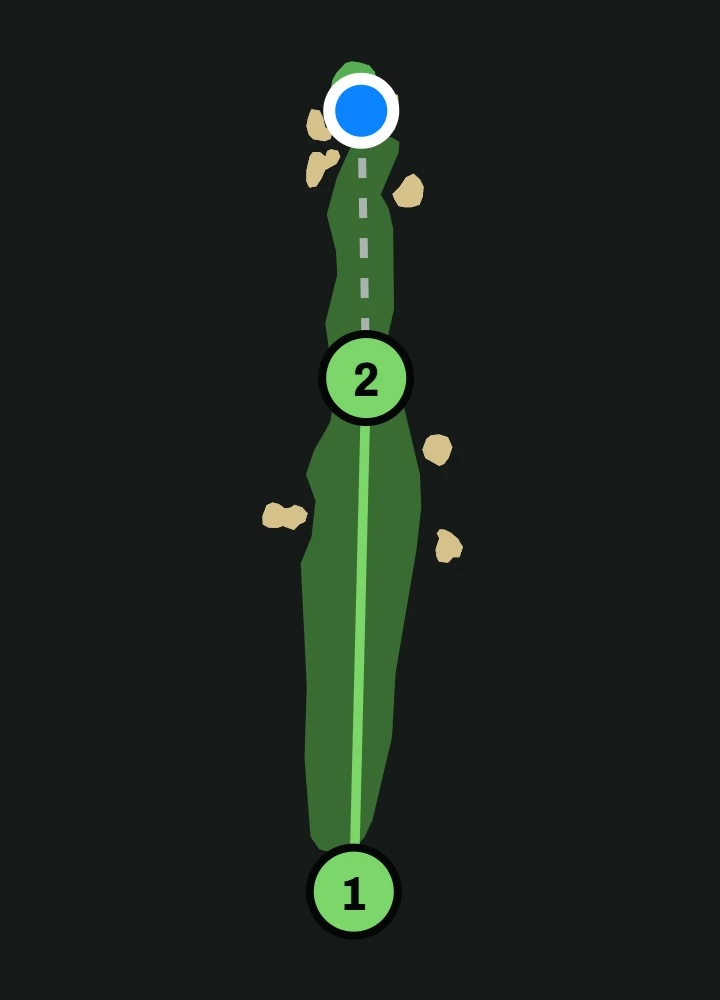
Your score, putts and shots on every hole, with the GPS distance to the green where the course data has it.
-
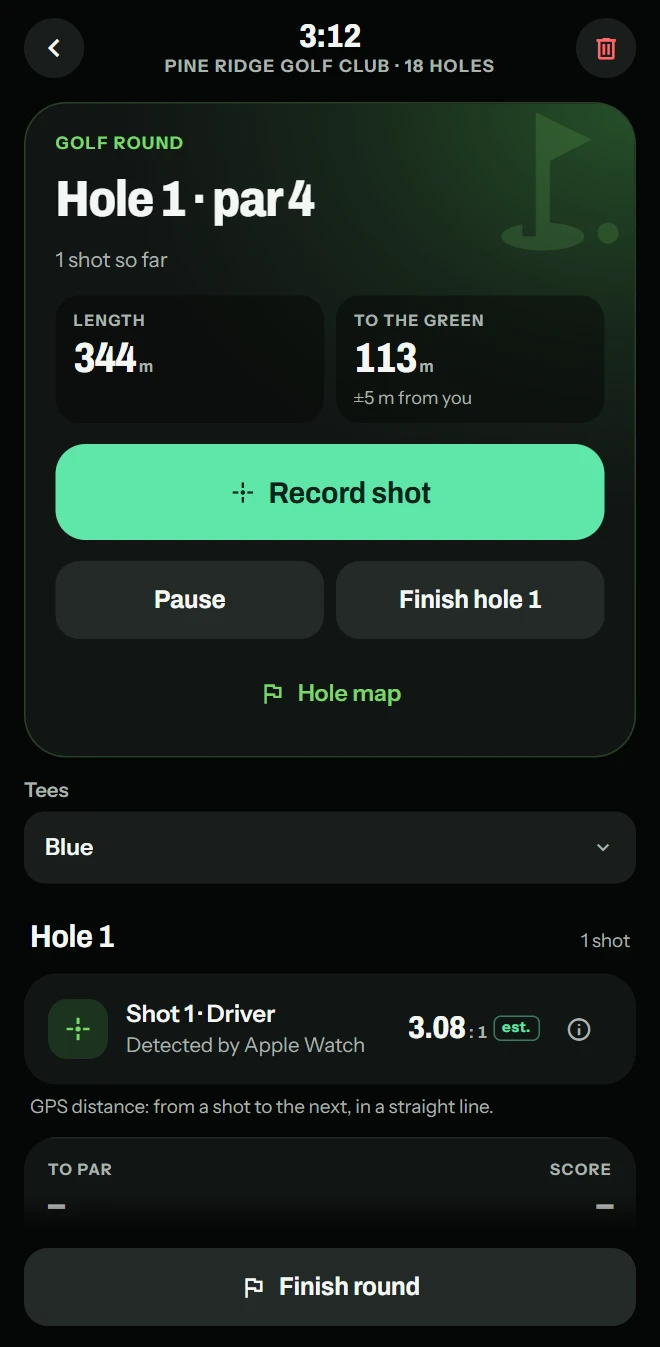
On Apple Watch, round tracking adds shot detection: each shot detected from your watch’s motion.
-
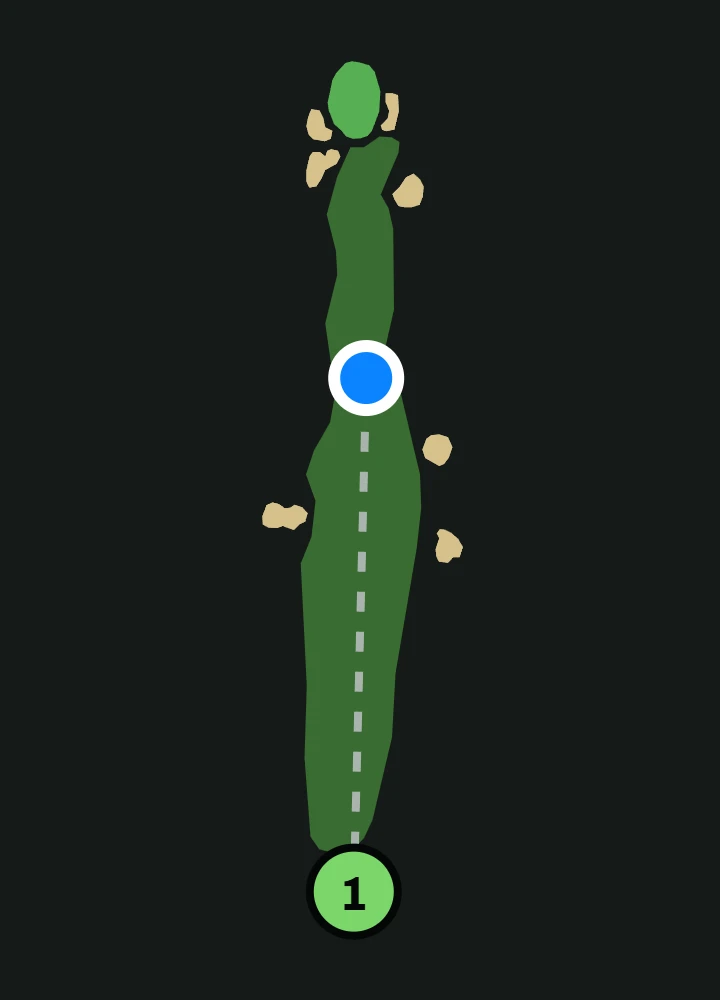
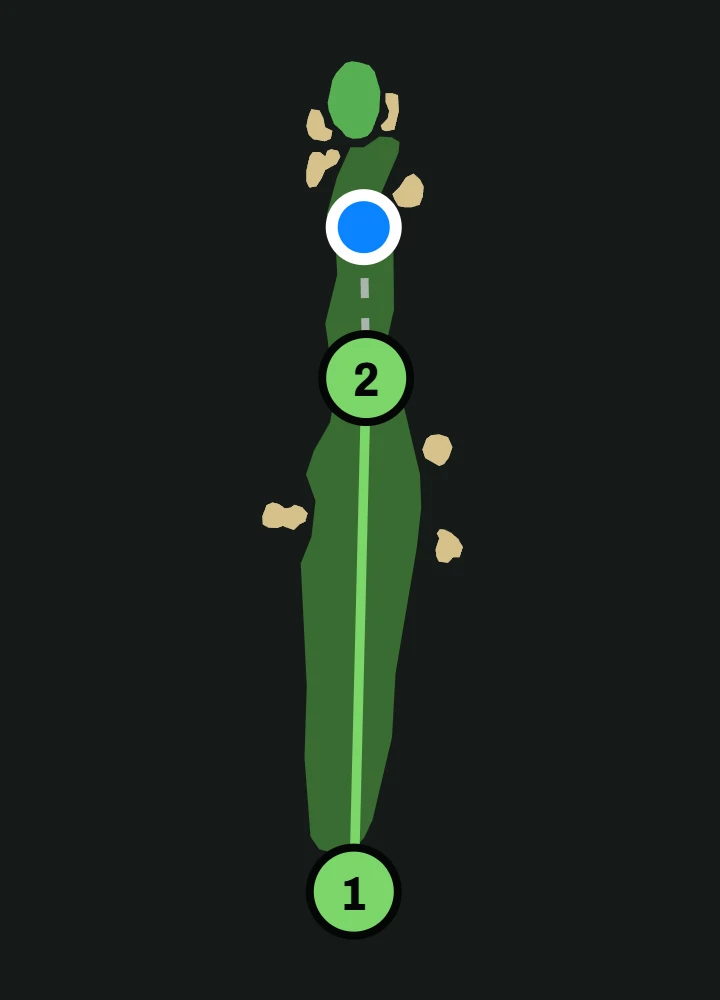
Each shot’s GPS distance to the next, in a straight line, with its margin. Your shots numbered and joined where you hit them, and where you are now, a dashed line from your last shot.Course data © OpenStreetMap contributors (ODbL 1.0) via OpenGolfAPI
-
Finish the hole yourself, then enter your score and putts.
-
Each hole’s score against its par, your total and where you stand to par.
Racket sports
Count your hits.
Tennis, pickleball, badminton and squash, recorded on Apple Watch.
-
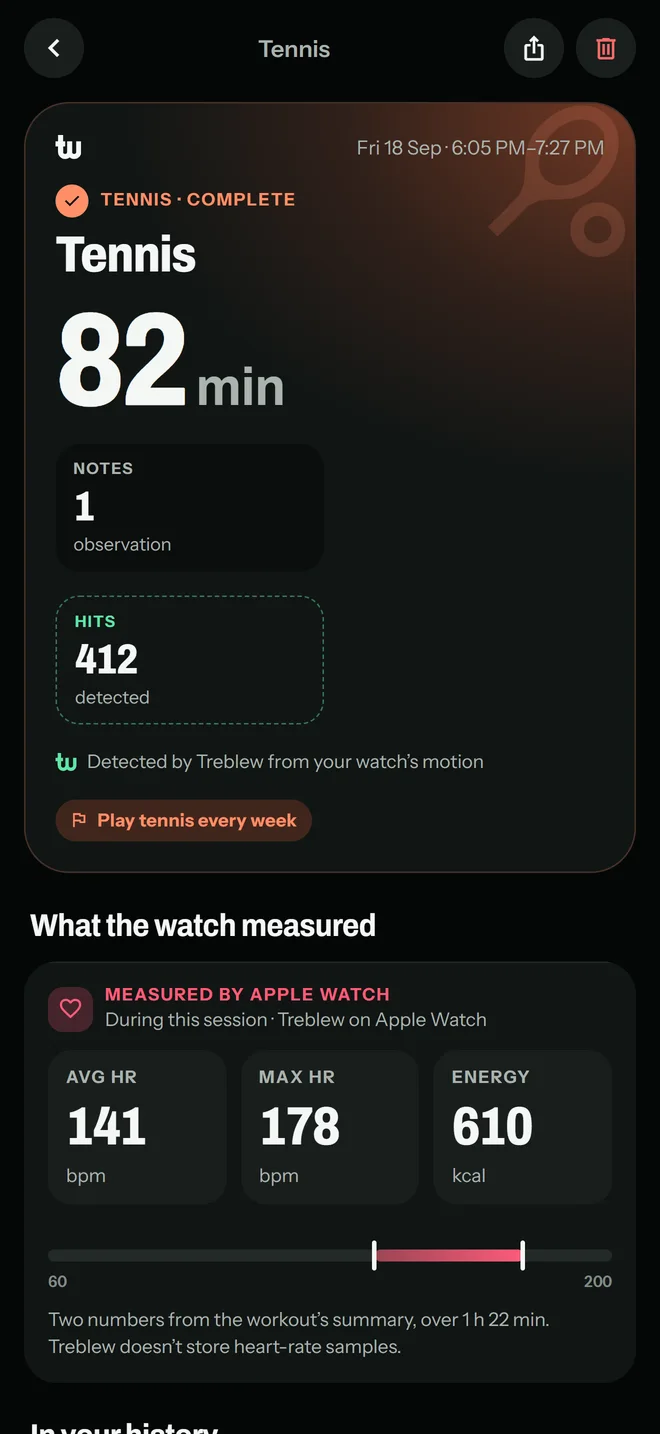
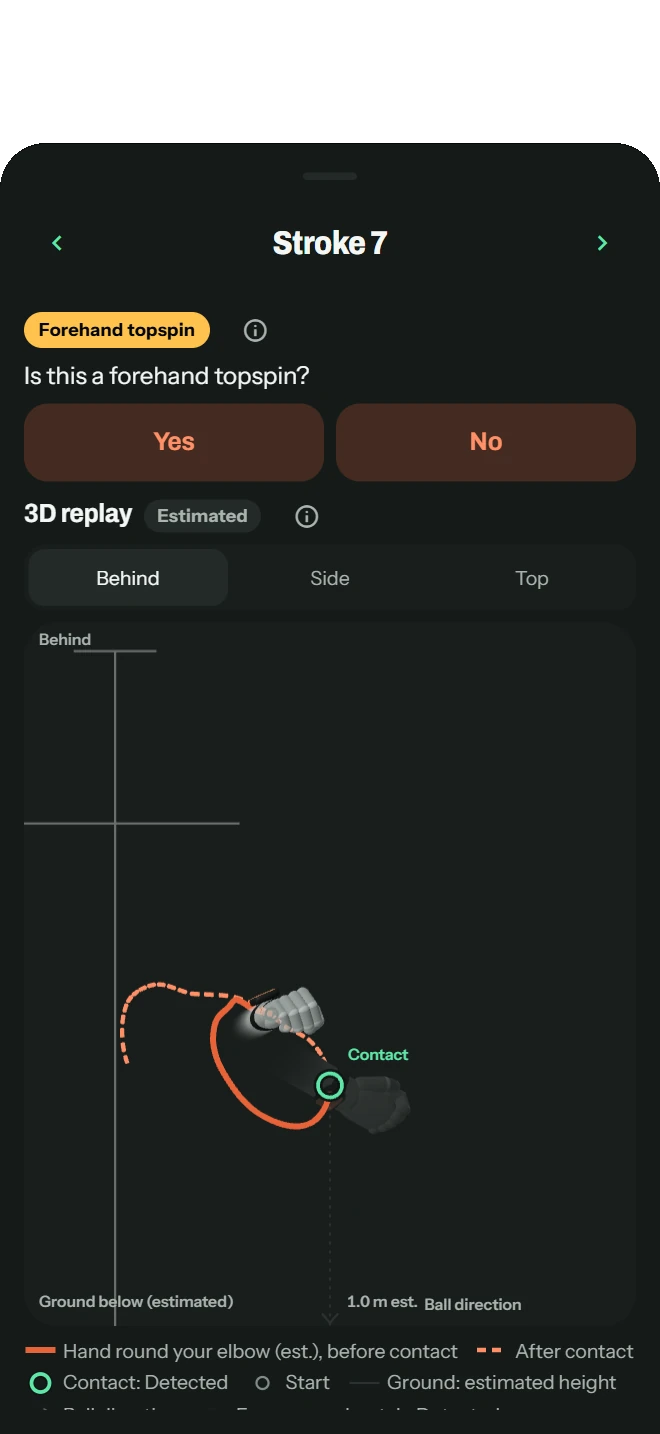
Stroke detection on Apple Watch: your hits, and your forehands, backhands and serves. Treblew names each stroke after learning yours in a short calibration; how well it names them varies from player to player, and you can correct any.
-
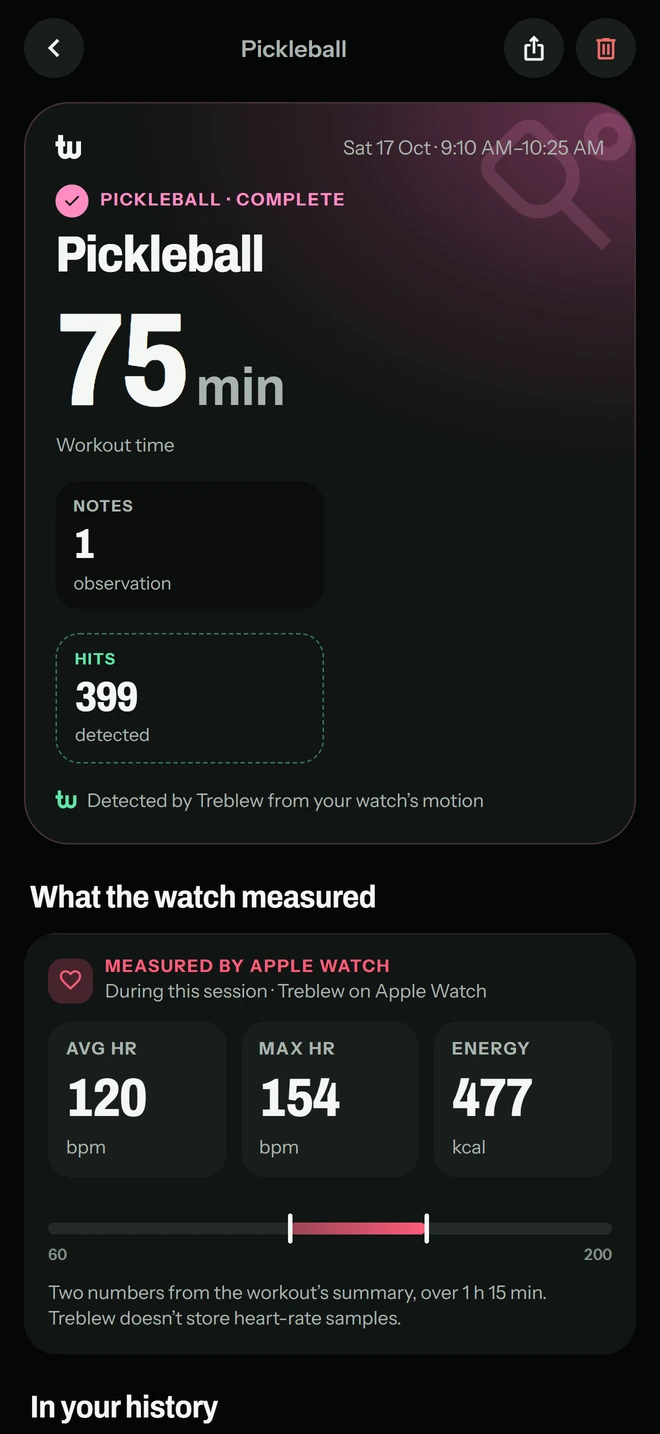
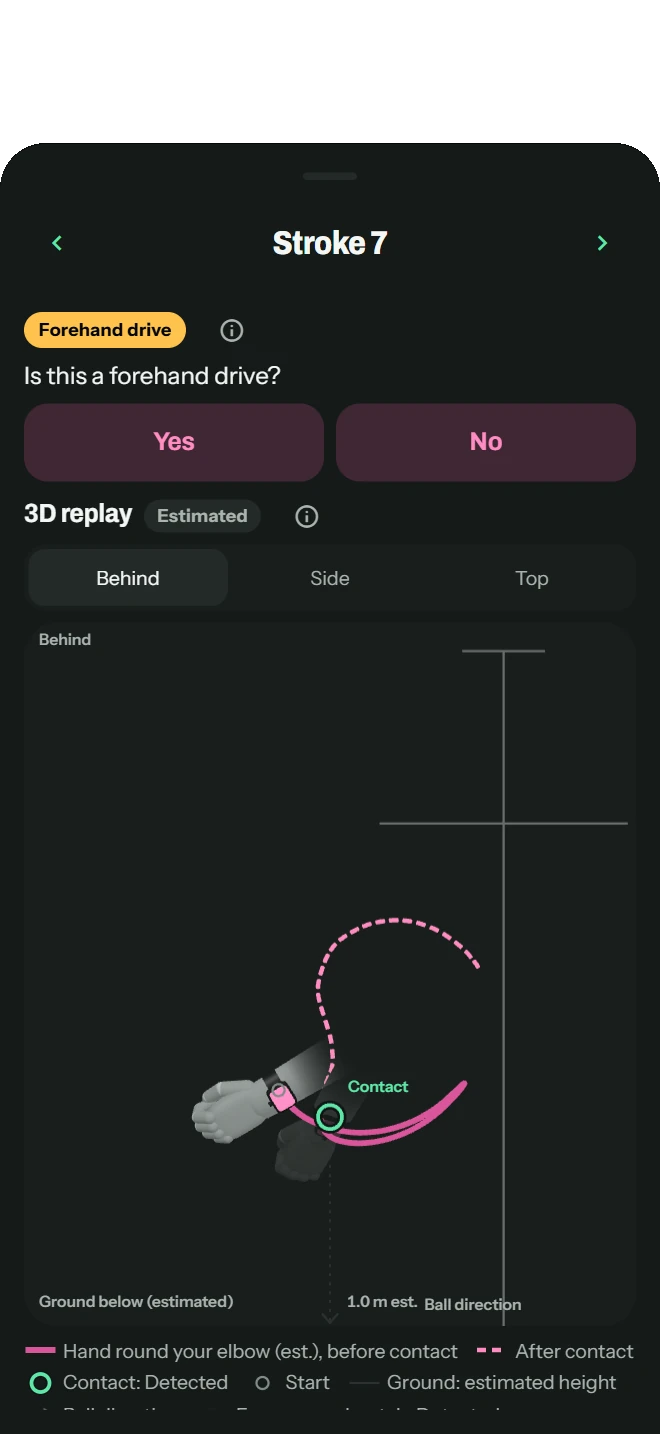
Stroke detection on Apple Watch: your hits, and your dinks, forehand and backhand drives, and serves.
- Rally recording with your iPhone’s camera: each rally cut into its own clip, and in tennis each point its own row. Detected Treblew Pro
- Time, heart rate and energy for every session, free.


Strength
Your plan, set by set.
-
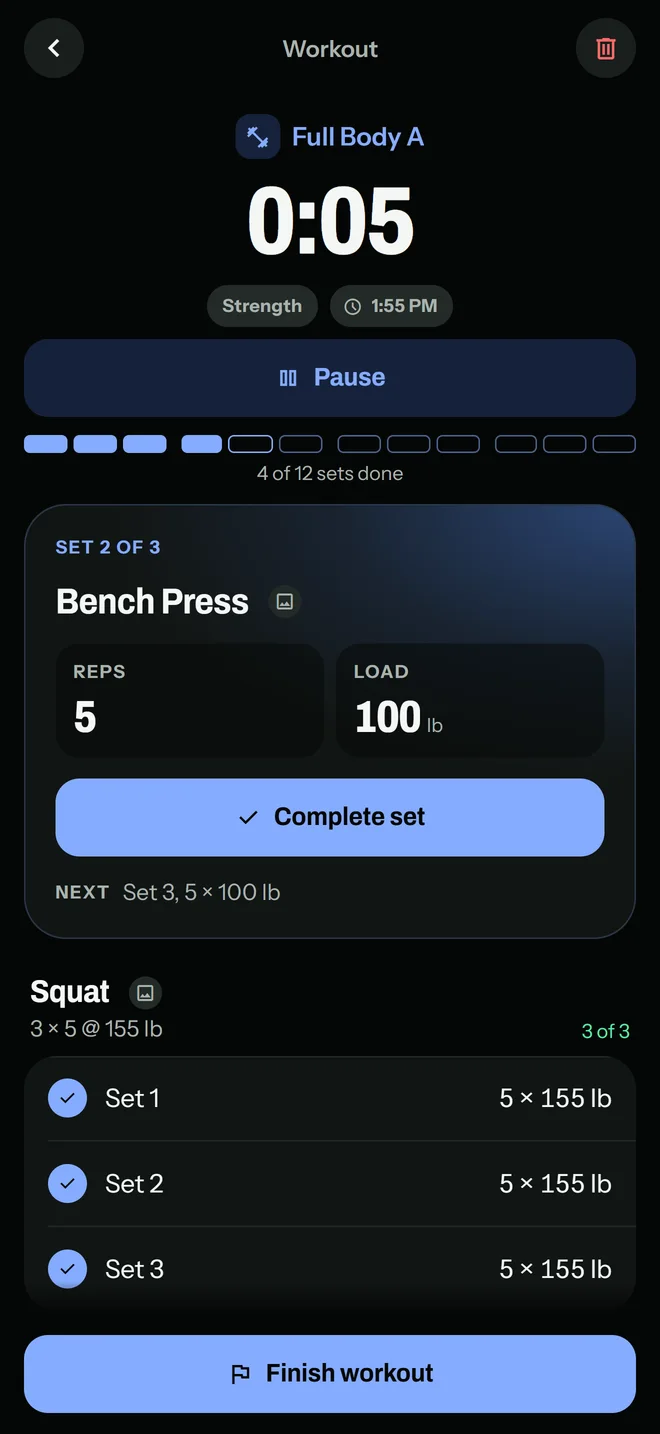
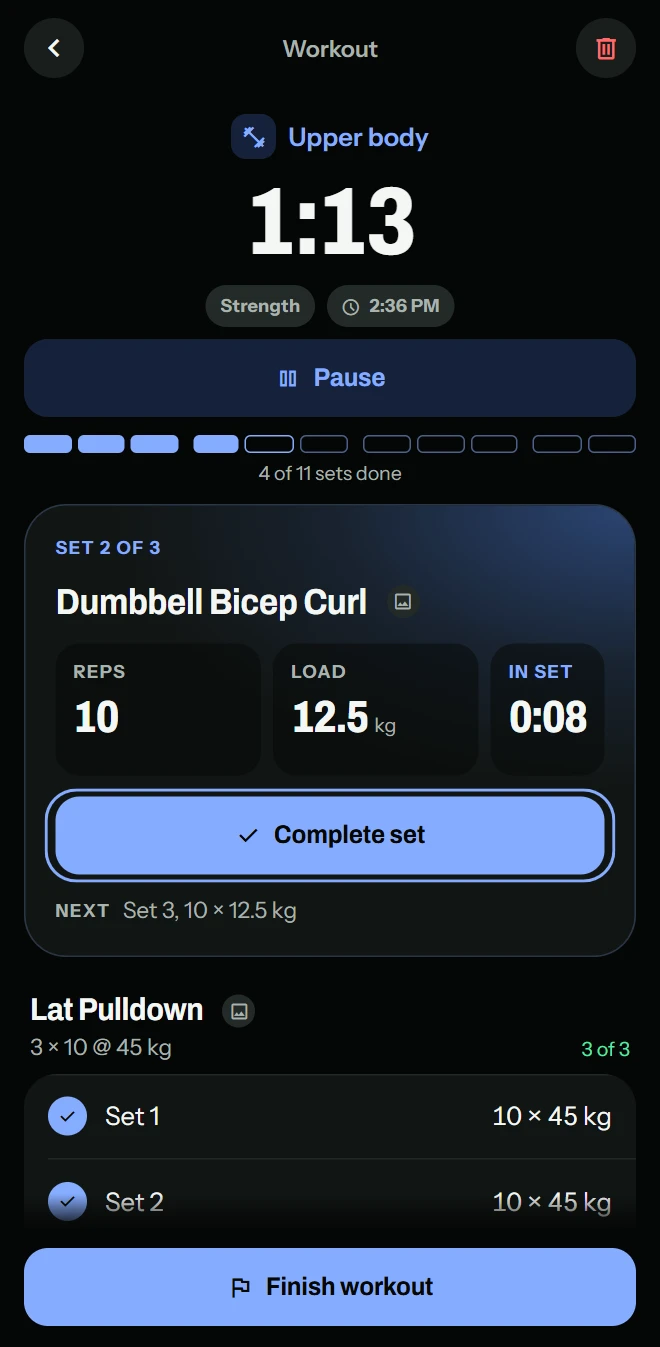
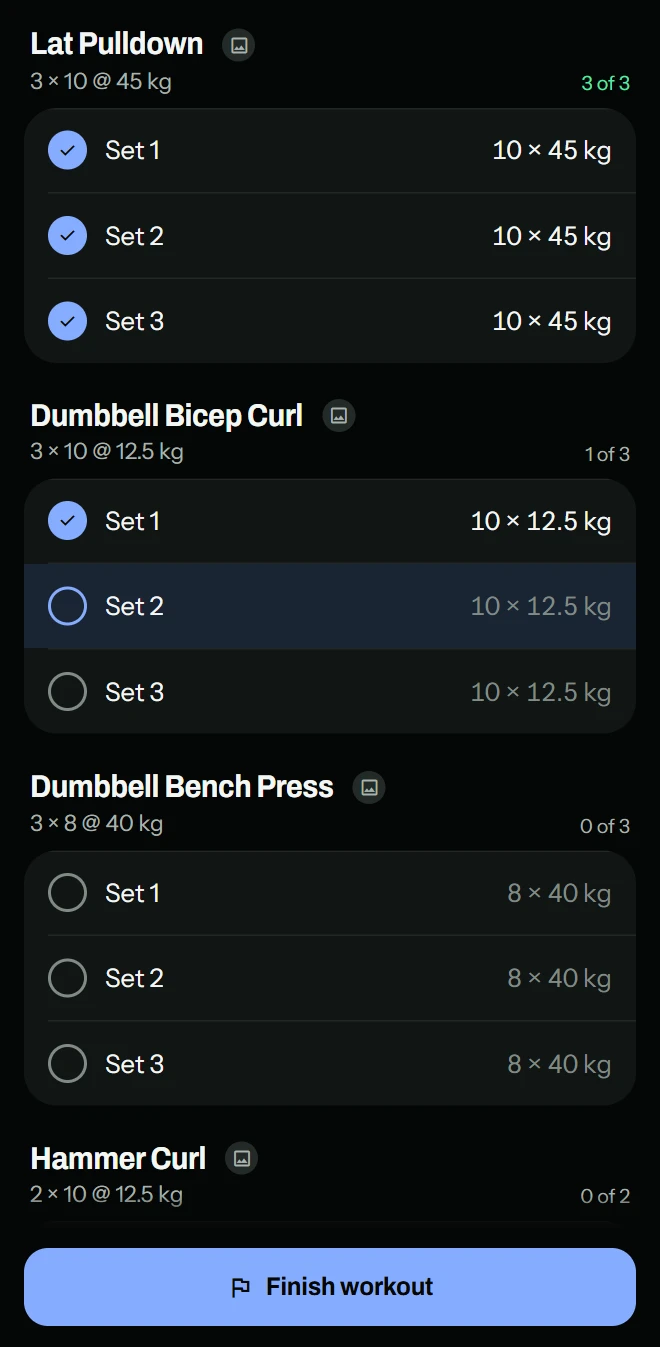
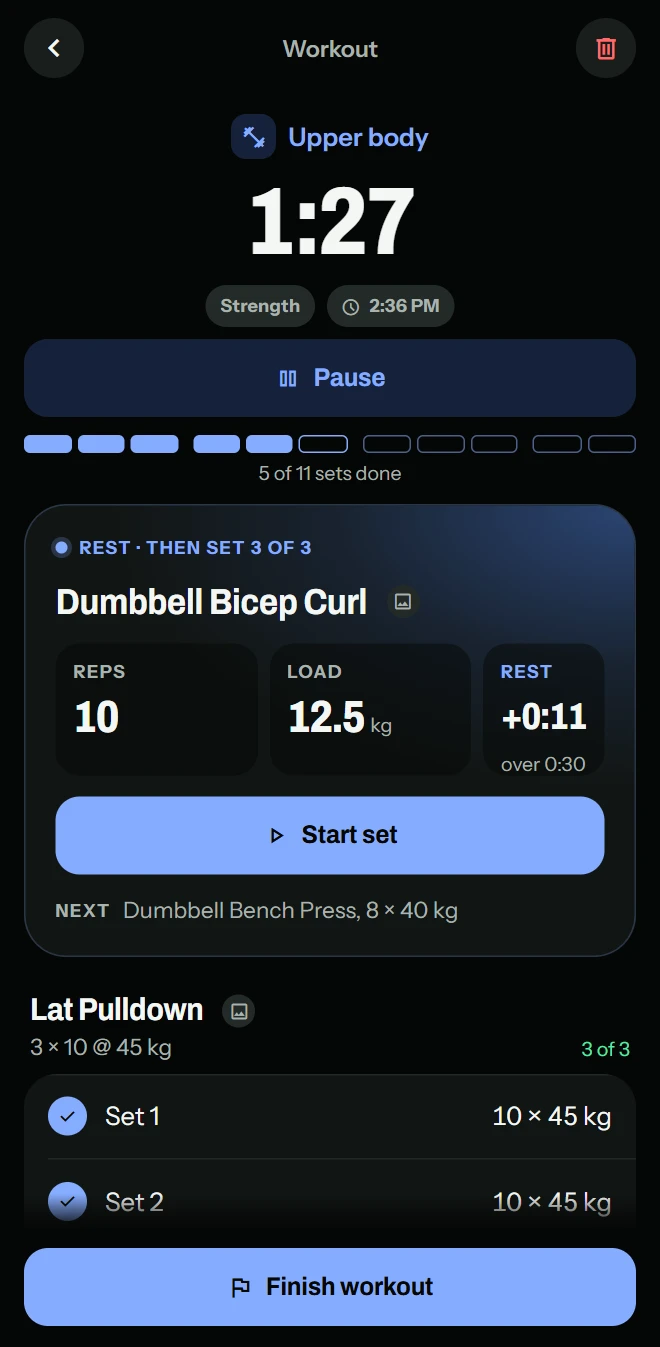
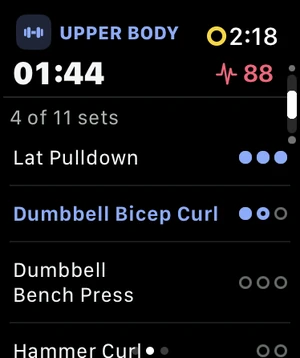
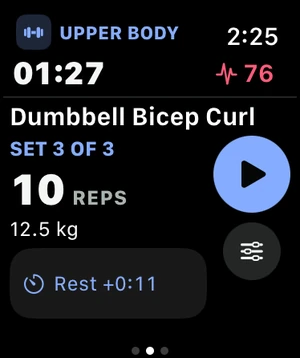
A workout plan with sets of reps or timed sets, with the rest between sets timed.
-
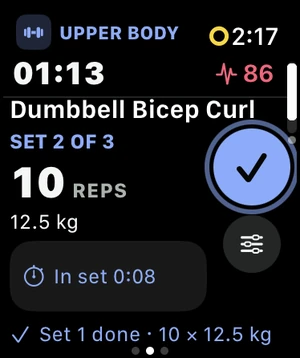
Your planned workout follows you onto Apple Watch.
-
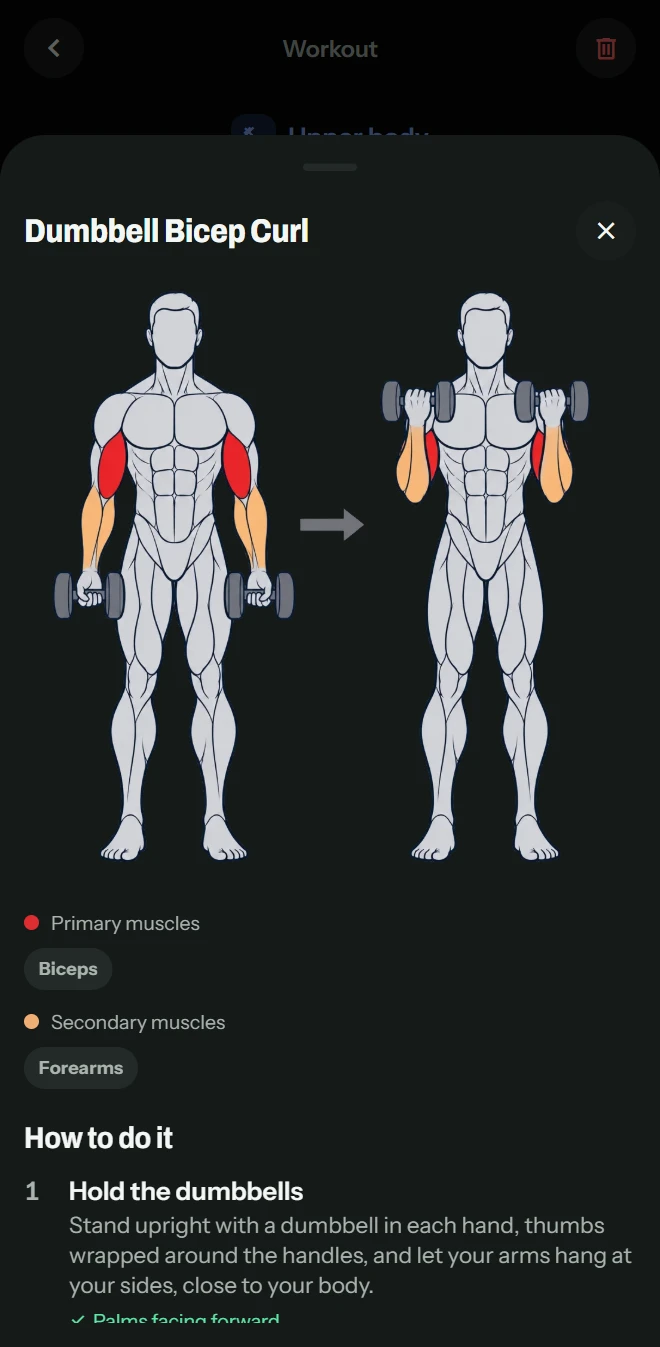
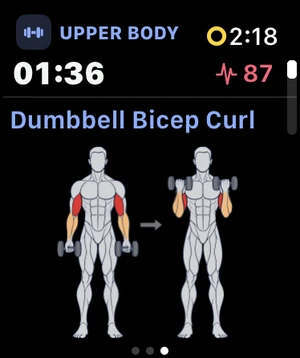
Instructions for 129 exercises, each with a muscle diagram.
-
1 plan free at a time; more plans with Treblew Pro.
Running
Your running form, from your wrist.
-
Treblew reads your runs from Apple Health, with your permission, or records them on your iPhone or Apple Watch.
-
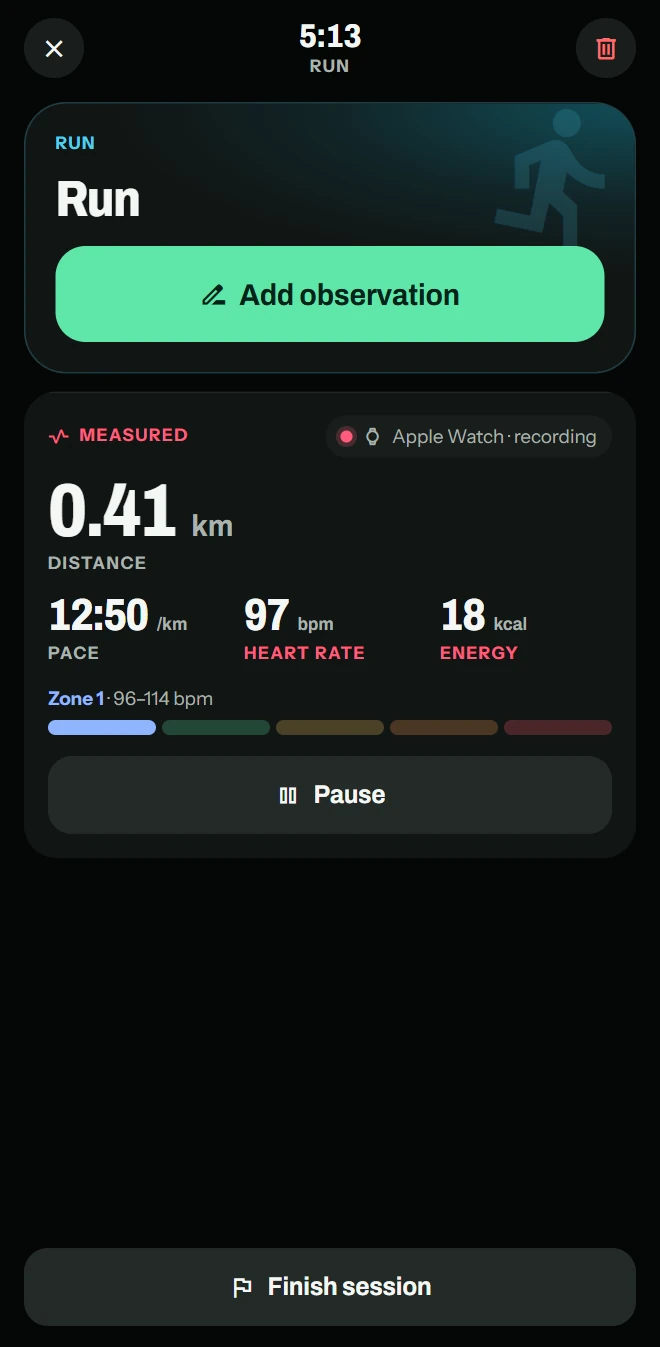
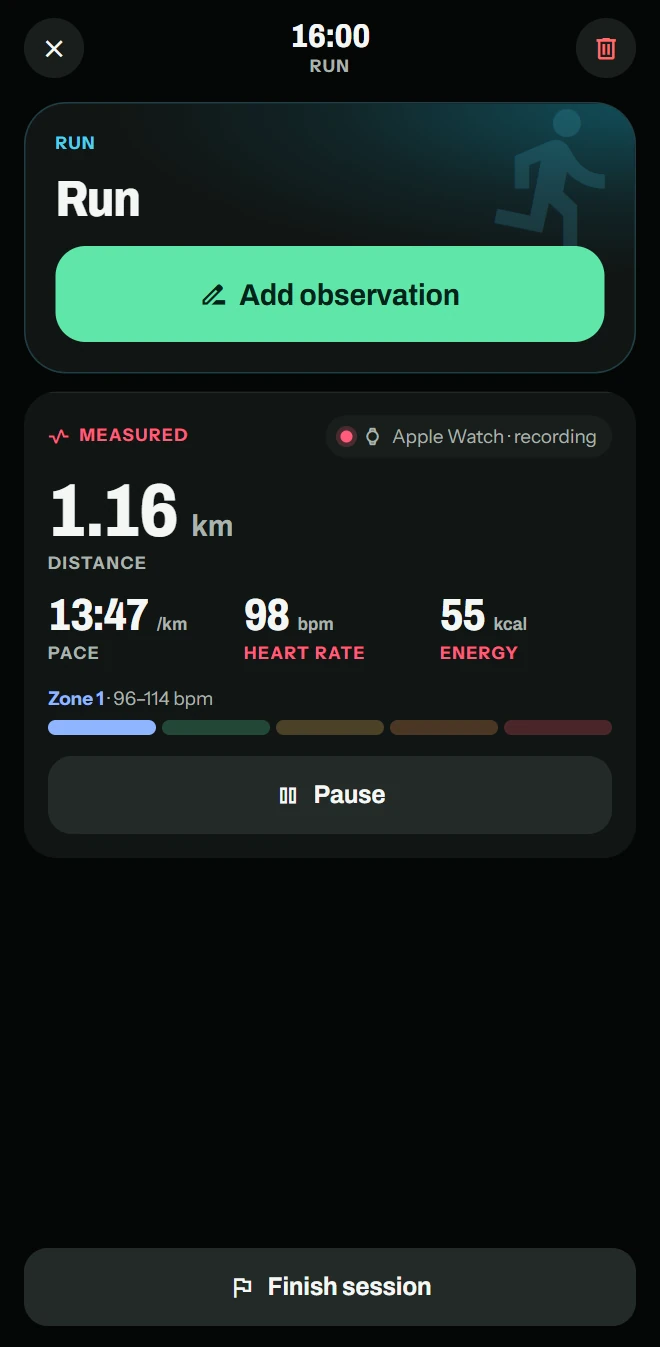
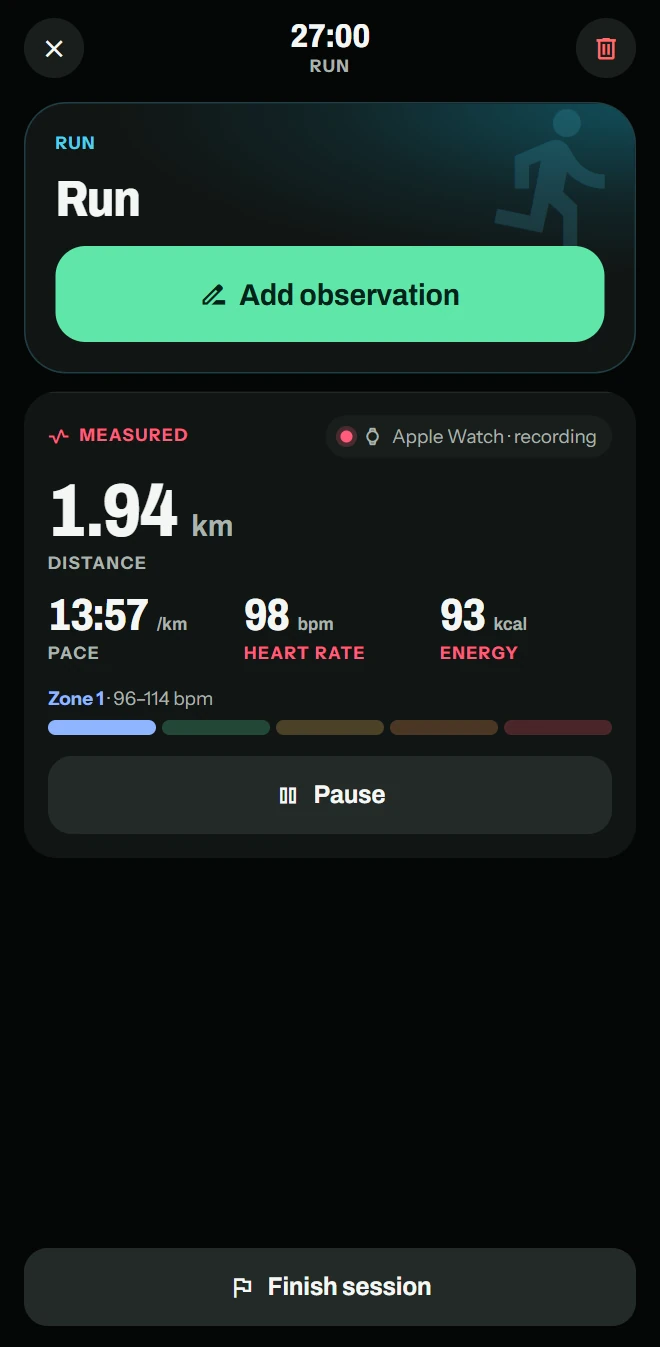
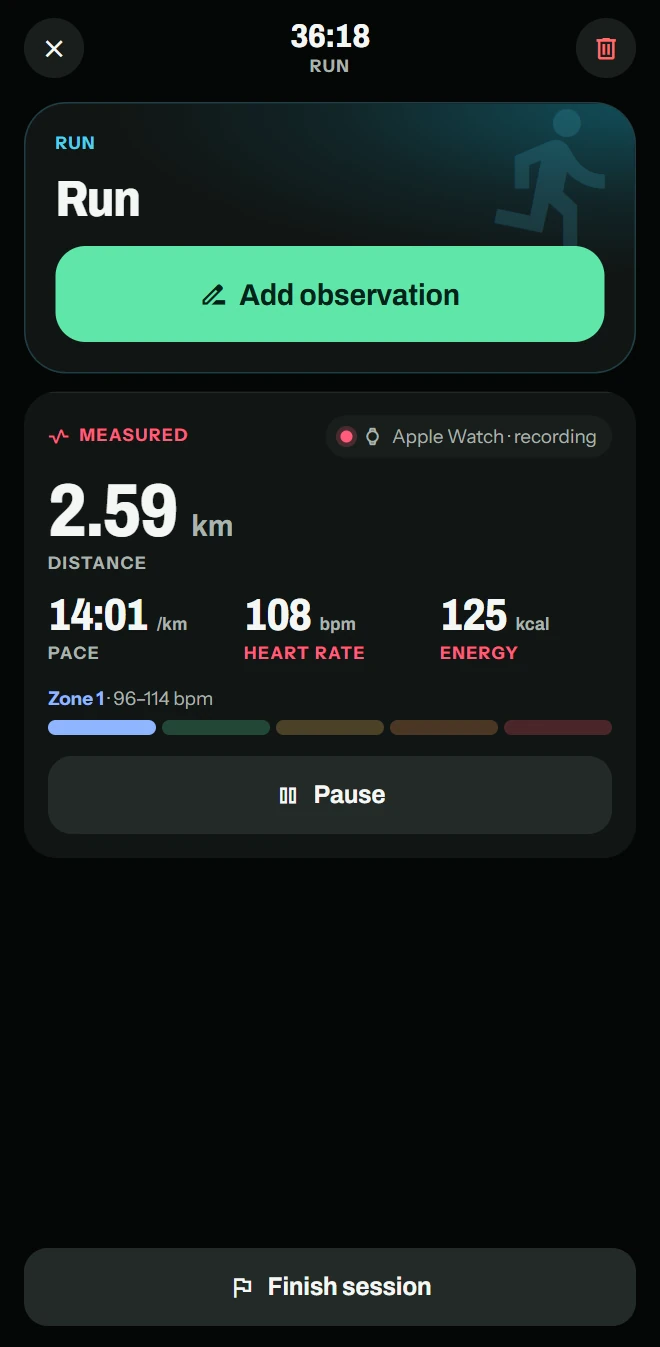
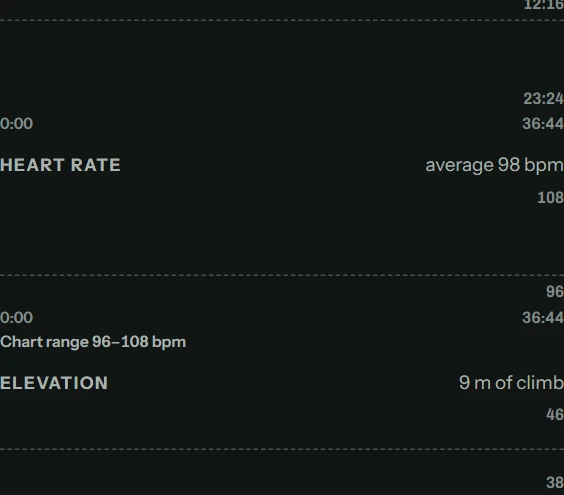
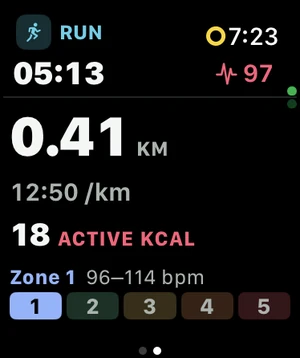
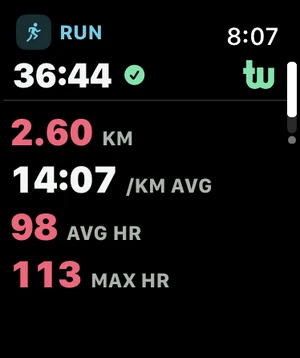
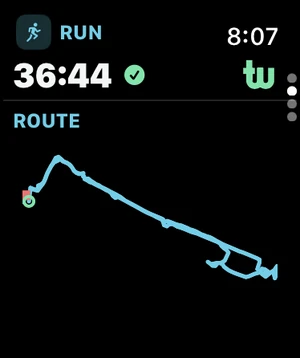
A run’s page shows what your watch measured.
-
Heart rate and its zones, pace, distance and your route, measured by Apple Watch.
-
Running form: Apple Watch SE, or Series 6 and later, on outdoor runs.
- Keep the running app you like. Every run in Apple Health can count toward your goals, once you’ve reviewed it in Treblew.

Running
Measured- Distance
- 2.60 km
- Pace
- 14:07 per km
- Stride length
- 0.62 m
- Vertical oscillation
- 6.8 cm
- Ground contact
- 312 ms
Goals
Everything you do counts toward what you’re after.
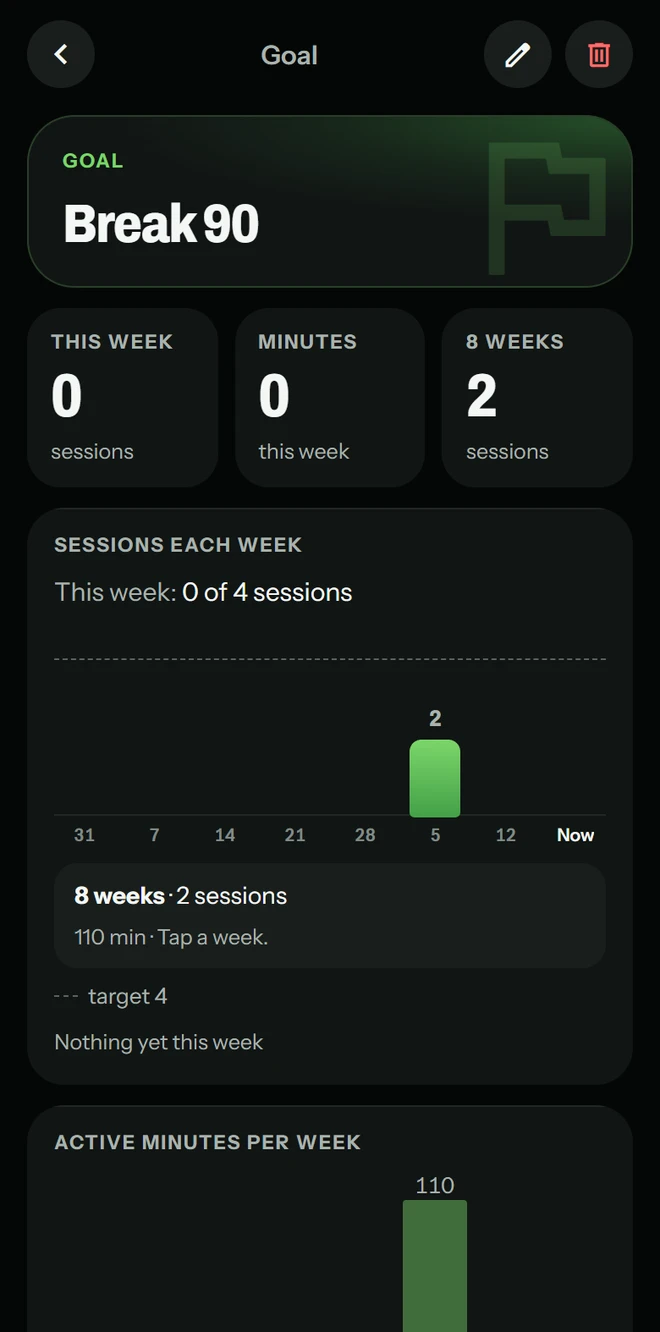
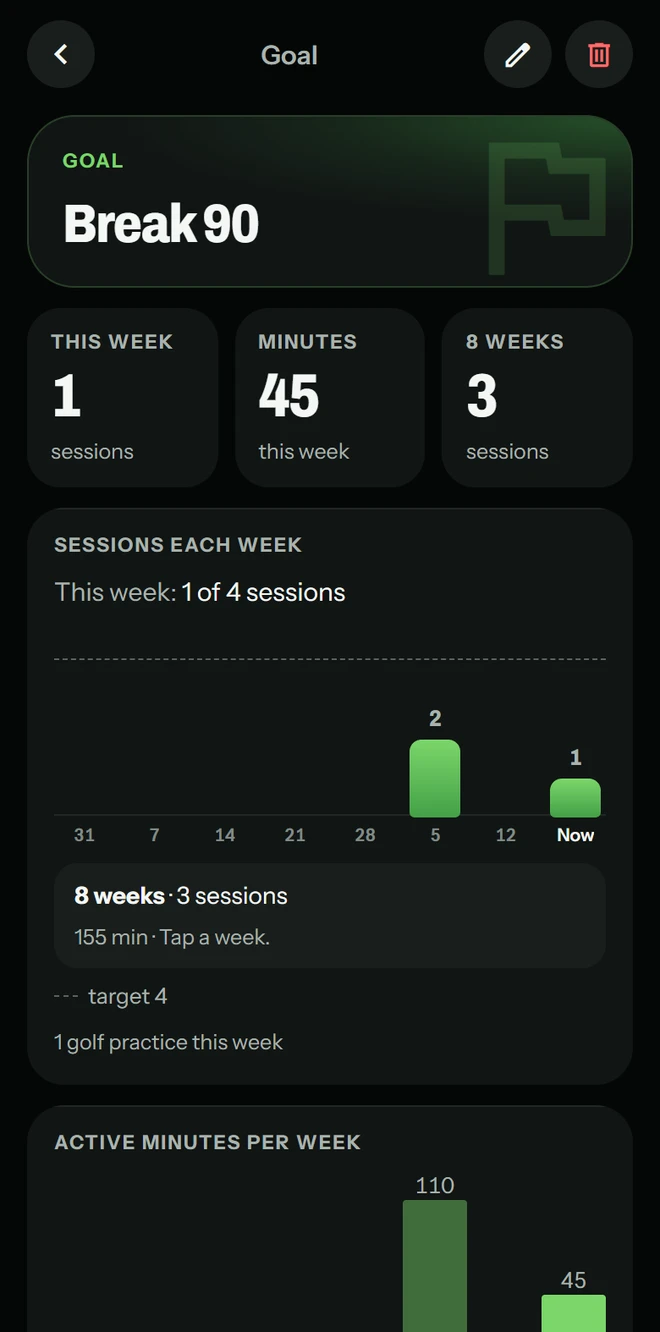
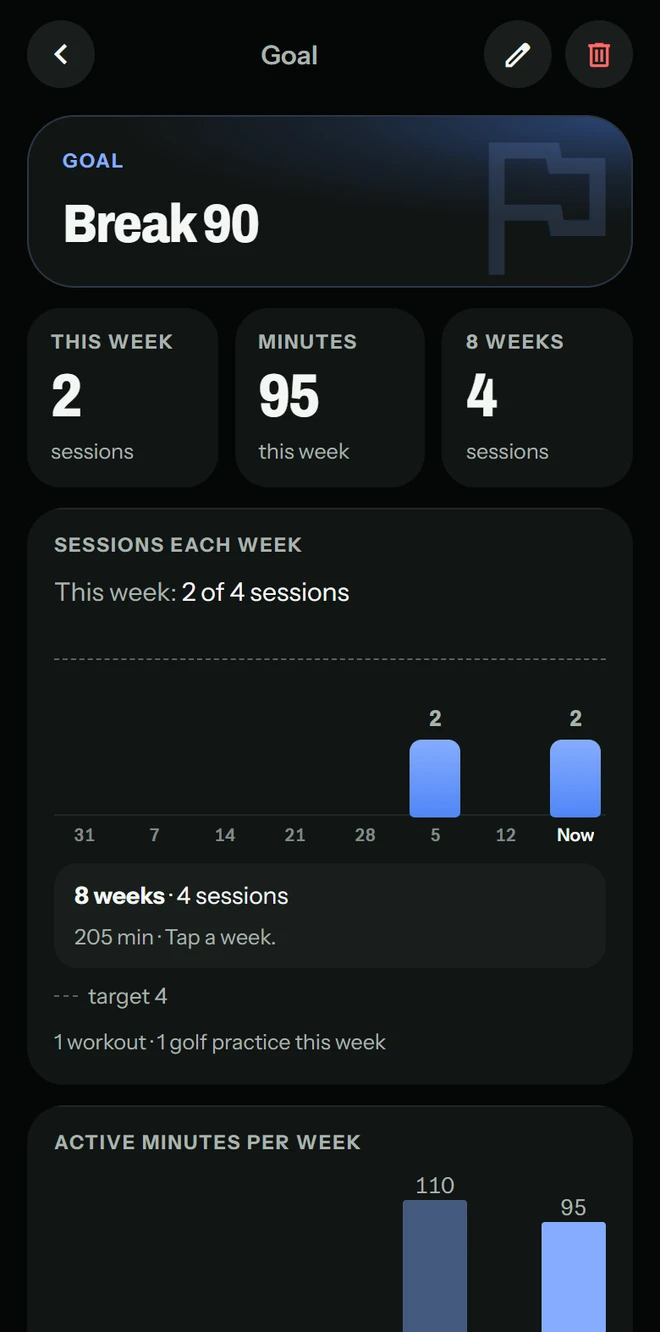
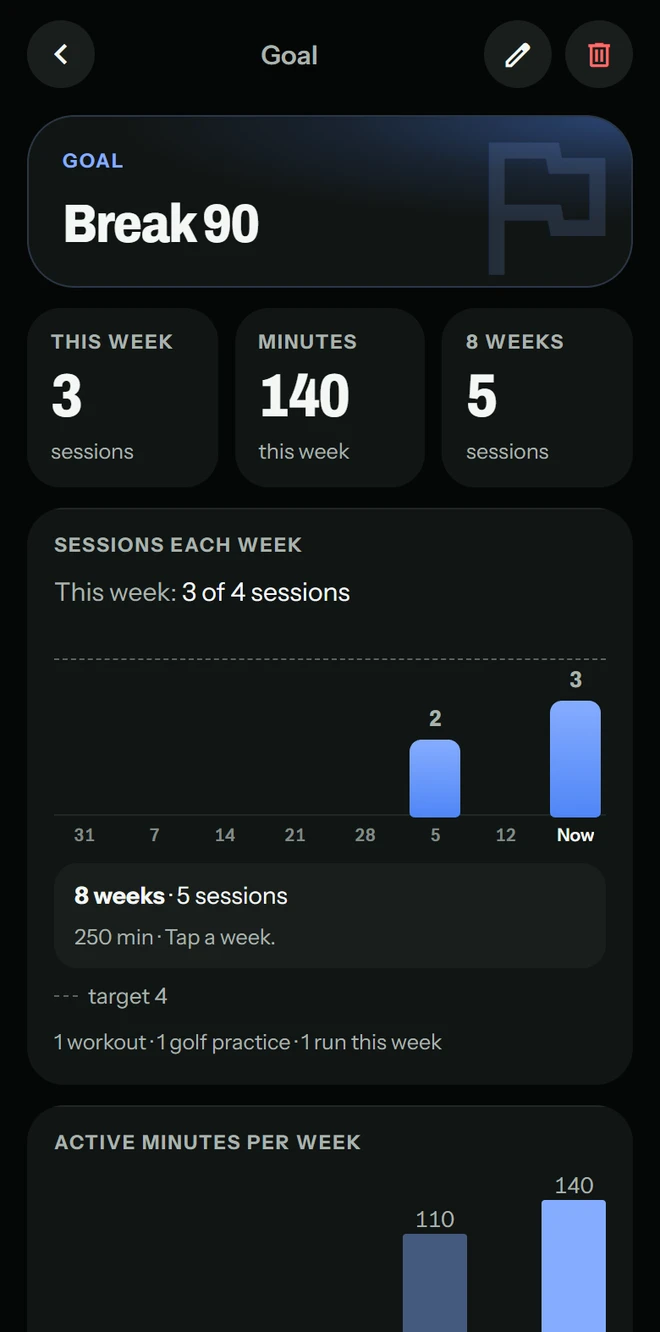
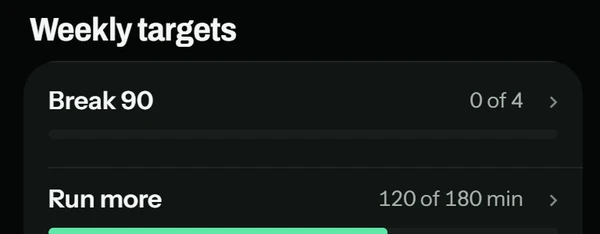
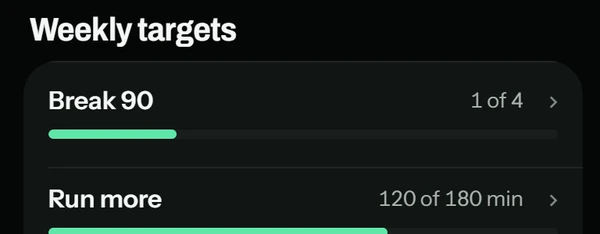
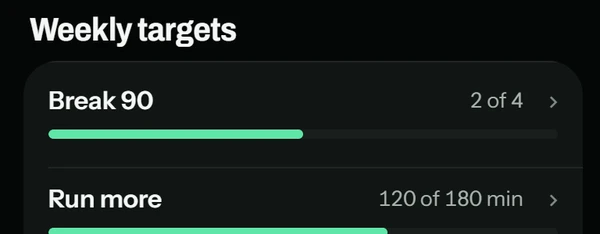
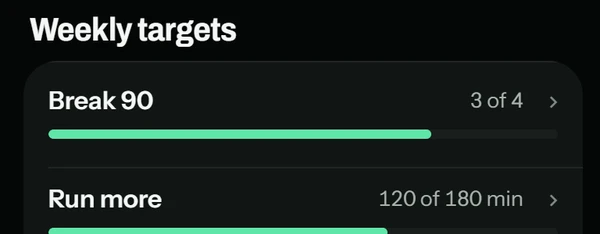
Breaking 90 isn’t only rounds and range time. One session can count toward several of your goals.
Set a goal
In your own words, with a weekly target.

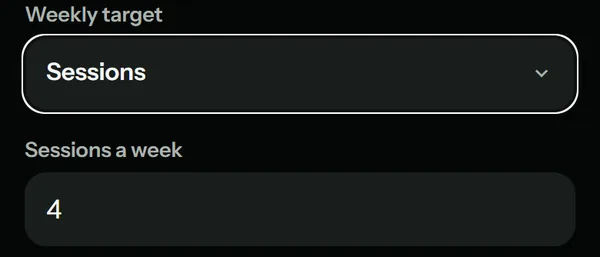
Everything counts
Golf, a workout, a run: each session you add to it.
See it on Today
Your week, the moment you open the app.
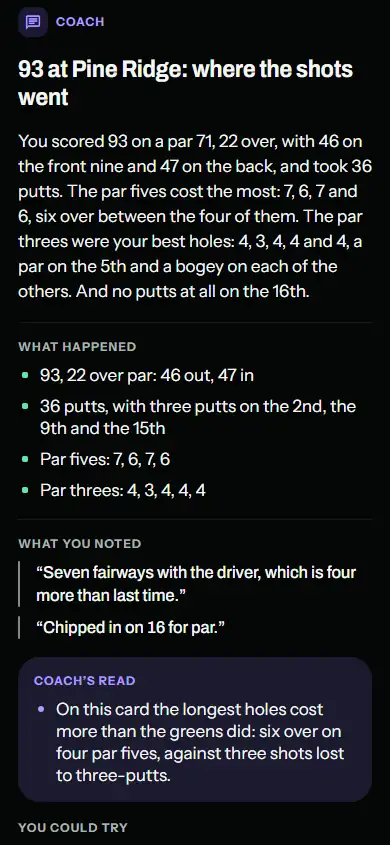
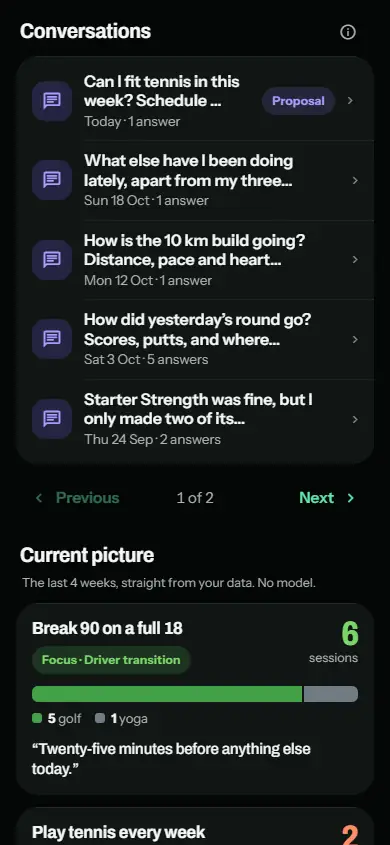
Coach
Ask about your training.
Coach answers from what you’ve recorded. Coach is AI, and its answers aren’t medical advice.
Coach sends your question and the parts of your Treblew history it needs to OpenAI, only after you allow it. Health measurements go only if you allow that too, and only when your question needs them.
Free includes 15 questions a month; Treblew Pro includes more.
Everything else
43 activities. Free on iPhone and Apple Watch.
Any of 43 activities on iPhone or Apple Watch, with time, heart rate, distance and route where your devices measure them. Goals and a calendar keep your week in view.
- Unlimited
- sessions on iPhone and Apple Watch, on the free plan.
- Apple Health
- With your permission, Treblew reads your workouts from Apple Health and saves the ones you record there.
- Today, at a glance
- What’s planned, what you did this week, and your goals, the moment you open the app.
Tracked in depth8
- Strength
- Golf practice
- Golf round
- Tennis
- Pickleball
- Running
- Badminton
- Squash
Distance and pace4
- Cycling
- Open water swimming
- Pool swimming
- Walking
Fitness and outdoors17
- Circuit training
- Core
- Cross-country skiing
- Downhill skiing
- Elliptical
- Functional strength
- HIIT
- Hiking
- Indoor cycling
- Pilates
- Rowing
- Snowboarding
- Stair climbing
- Stretching
- Wheelchair, running pace
- Wheelchair, walking pace
- Yoga
Sports and more14
- American football
- Baseball
- Basketball
- Boxing
- Climbing
- Dance
- Hockey
- Kickboxing
- Martial arts
- Paddling
- Soccer
- Table tennis
- Volleyball
- Other
Your privacy
No ads. No tracking. No third-party analytics.
- Measured values, like your heart rate, stay on your iPhone.
- Swing and rally videos stay on your iPhone. For an AI swing analysis, only a few frames from the swing you choose are sent.
- Read the Privacy Policy and the Consumer Health Data Privacy Policy.
Free and Pro
Free to use. Pro when you want more.
| FreeEverything you need to record your sport. | Treblew ProFree for a week for new subscribers, then monthly or annual. See the price in the App Store. | |
|---|---|---|
| Sessions on iPhone and Apple Watch | Unlimited | Unlimited |
| Coach questions | 15 questions a month | Higher limit |
| Goals and plans at a time | 3 goals and 1 plan | Higher limits |
| Swing detection, round tracking, stroke detection and planned workouts on Apple Watch | A one-off try of each | Included |
| AI swing analysis and rally recording | A one-off try of each | Included |
| Video tempo | Not included | Included |
Treblew Pro is an optional auto-renewing subscription, bought in the app through the App Store. Cancel at least 24 hours before it renews, in your Apple Account’s subscription settings.
Questions
Anything else: support@treblew.com
Do I need an Apple Watch?
No. You can record any of the 43 activities on your iPhone. Apple Watch adds heart rate from your wrist, and Treblew’s own watch features: swing detection, round tracking, stroke detection and planned workouts, with Treblew Pro.
What does Treblew detect, and what does it estimate?
Swings, shots and hits are detected by Treblew from your watch’s motion, and you can review and correct anything it detects. Tempo and stroke names are Treblew’s estimates from that motion, not measurements of the club or the ball. Golf distances on the course are GPS distances, shown with their margin.
Which sports does Treblew know best?
Golf, tennis, pickleball, badminton, squash, strength and running get the most, and all 43 activities can be recorded, planned and counted toward goals.
Where does my data go?
Measured values like heart rate, and your swing and rally videos, stay on your iPhone; for an AI swing analysis, only a few frames from the swing you choose are sent. Coach sends your question and the parts of your history it needs to OpenAI only after you allow it. The Privacy Policy has the full detail.
How do I cancel Treblew Pro?
In your Apple Account’s subscription settings, or in Treblew under Settings › Treblew Pro › Manage subscription, at least 24 hours before it renews. Treblew Pro then lasts until the end of the period, and what you’ve recorded stays yours to read.
Start your next session with Treblew.
For iPhone and Apple Watch.