Treblew on iPhone Duo
Treblew is made for iPhone Duo. Turn the inner display on its side and a session’s page splits into two panes: the list on the left, and the swing, stroke or rally you pick on the right.
On the App Store. Free to download, with Treblew Pro inside.

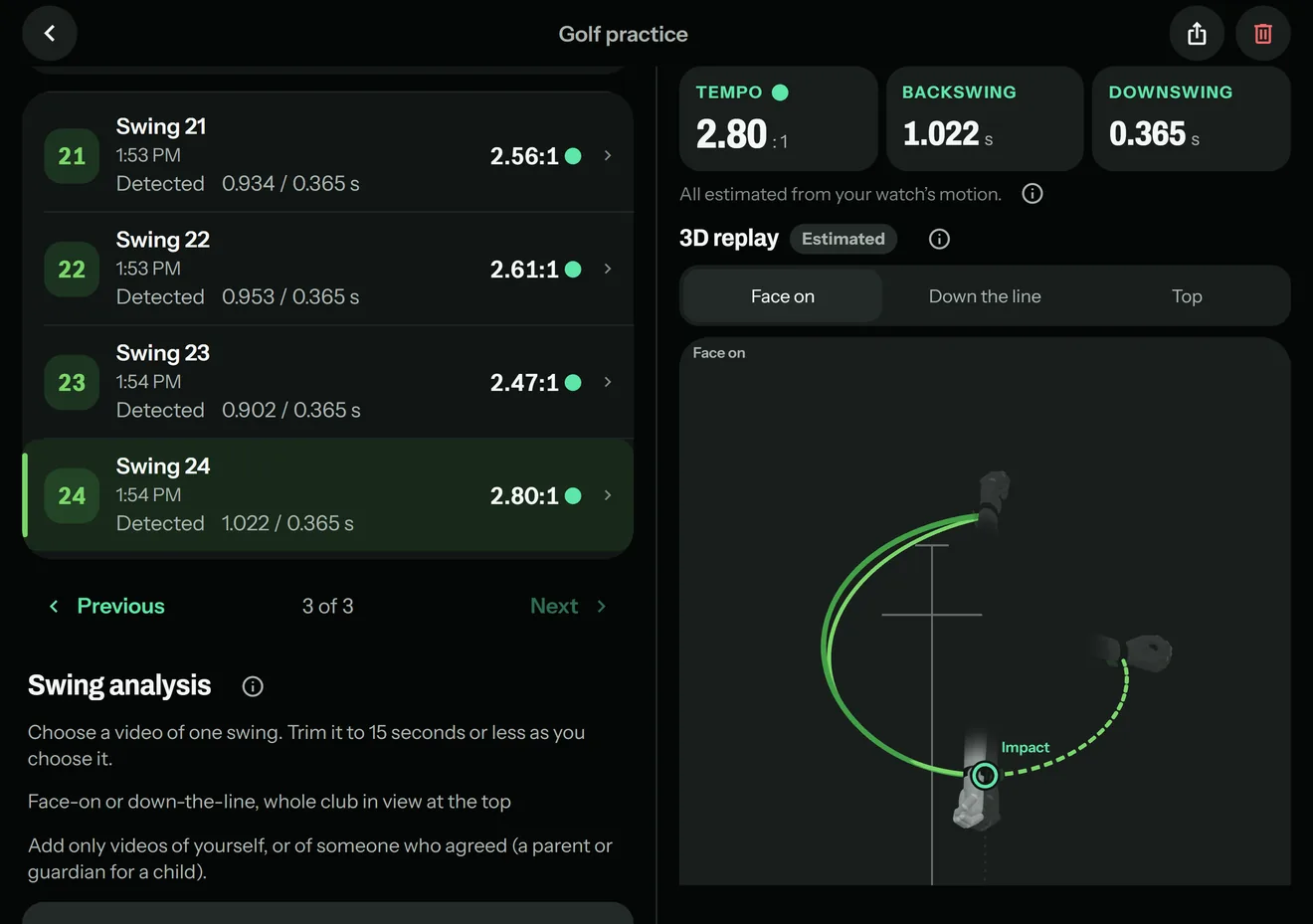
Two panes
- Golf practice: your swings on the left; the swing you pick on the right, with its clip, tempo and 3D replay.
- Tennis and pickleball: your strokes on the left; the stroke on the right, with its name and 3D replay.
- Rallies: the list on the left; the rally’s clip playing on the right.
- Runs, walks, rides and hikes: the route fixed on the left; the details beside it.
The rest of the inner display
- On its side, the tabs run down the right edge.
- Sheets open as centred cards.
- On a round, the hole map sits beside its rows.
Folding or turning changes only the layout: what you picked stays picked and an open sheet stays open.
Questions
Does Treblew support iPhone Duo?
Yes. Treblew is made for iPhone Duo. On the inner display it uses the extra room, and on its side a session’s page splits into two panes.
What shows in the two panes?
The list on the left and the item you pick on the right: a golf practice’s swings and the swing with its 3D replay; a tennis or pickleball session’s strokes and the stroke; rallies and the rally’s clip; or a run’s route fixed beside its details.
Does anything change when I fold or turn it?
Only the layout. What you picked stays picked, an open sheet stays open, and the camera view and the hole map keep their place.
Is it different on the outer display?
No. The outer display, and the inner display held upright, show Treblew as on any iPhone.
Treblew is free to download on the App Store.