Golf GPS scorecard for iPhone and Apple Watch
Play your round with Treblew: a scorecard that fills in as you finish each hole, the GPS distance to the green, and each shot’s GPS distance to the next, always with its margin (±). On Apple Watch, round tracking detects your shots from your watch’s motion.
On the App Store. Free to download, with Treblew Pro inside.

How it works
- Choose your course from Treblew’s course data, downloaded to your iPhone by country, or name a new one.
- Start a golf round of 9 or 18 holes.
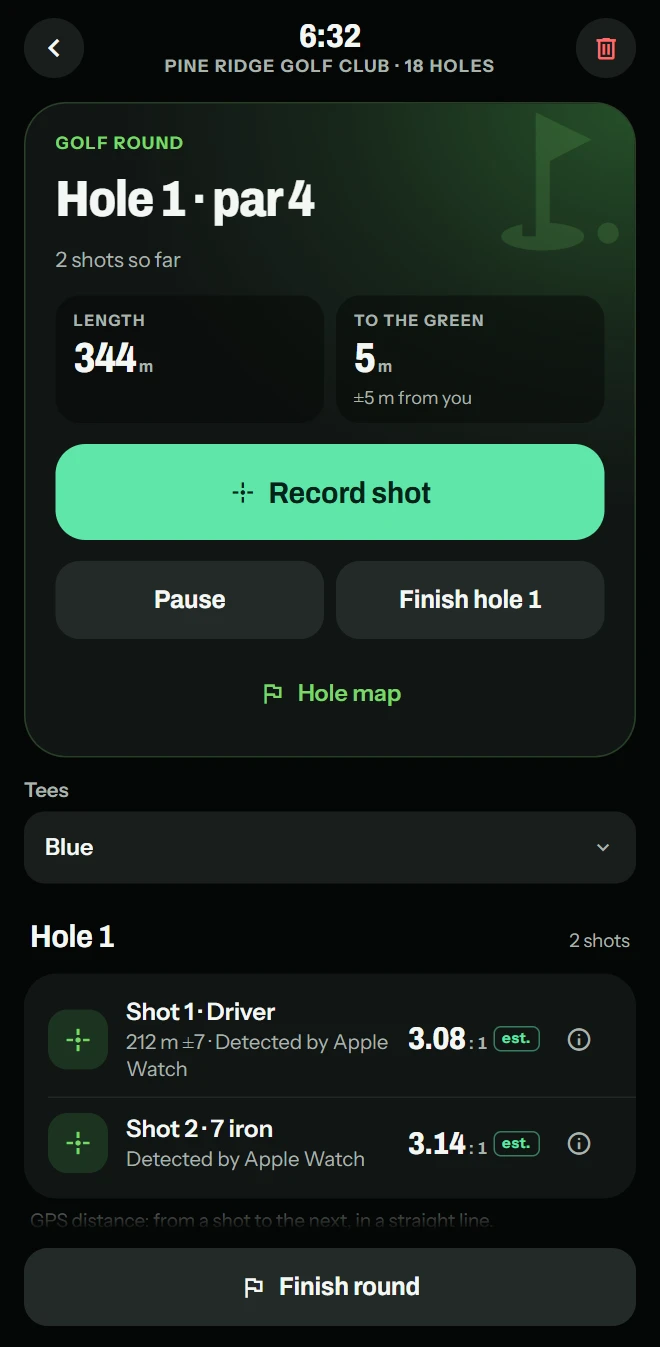
- Add each shot with Record shot on your iPhone, or let round tracking on Apple Watch detect it.
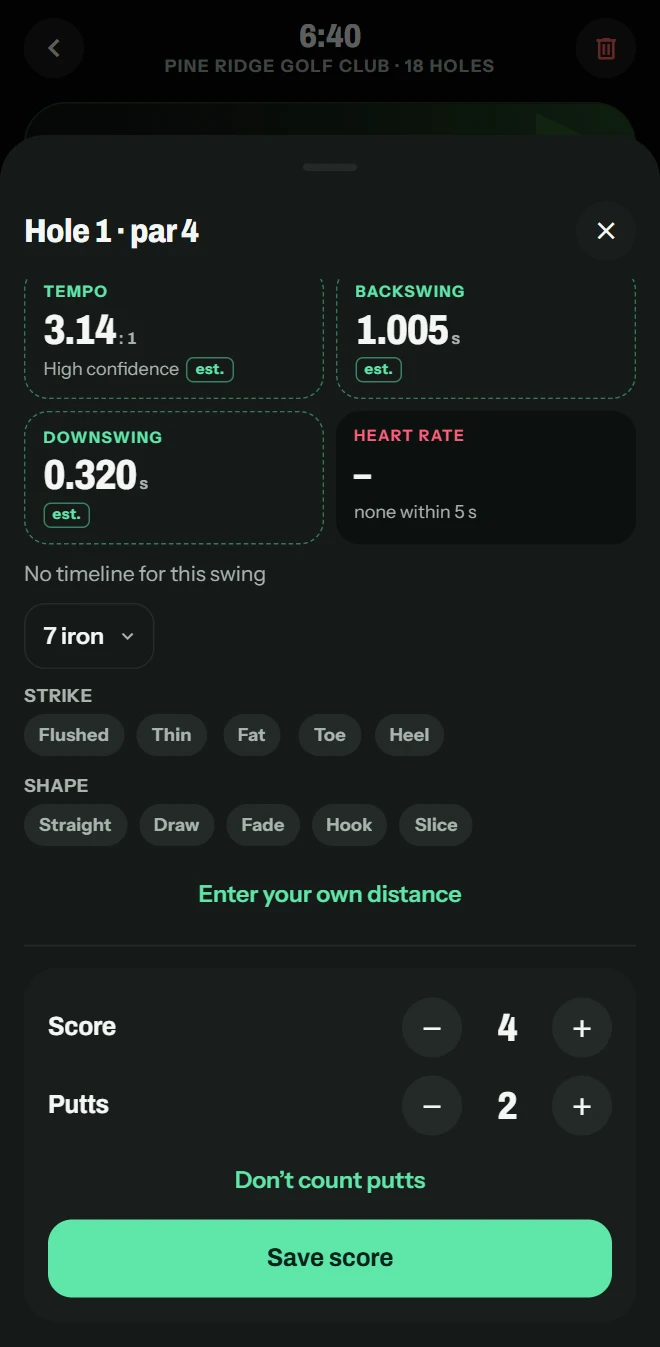
- Finish each hole yourself, then enter your score and putts.
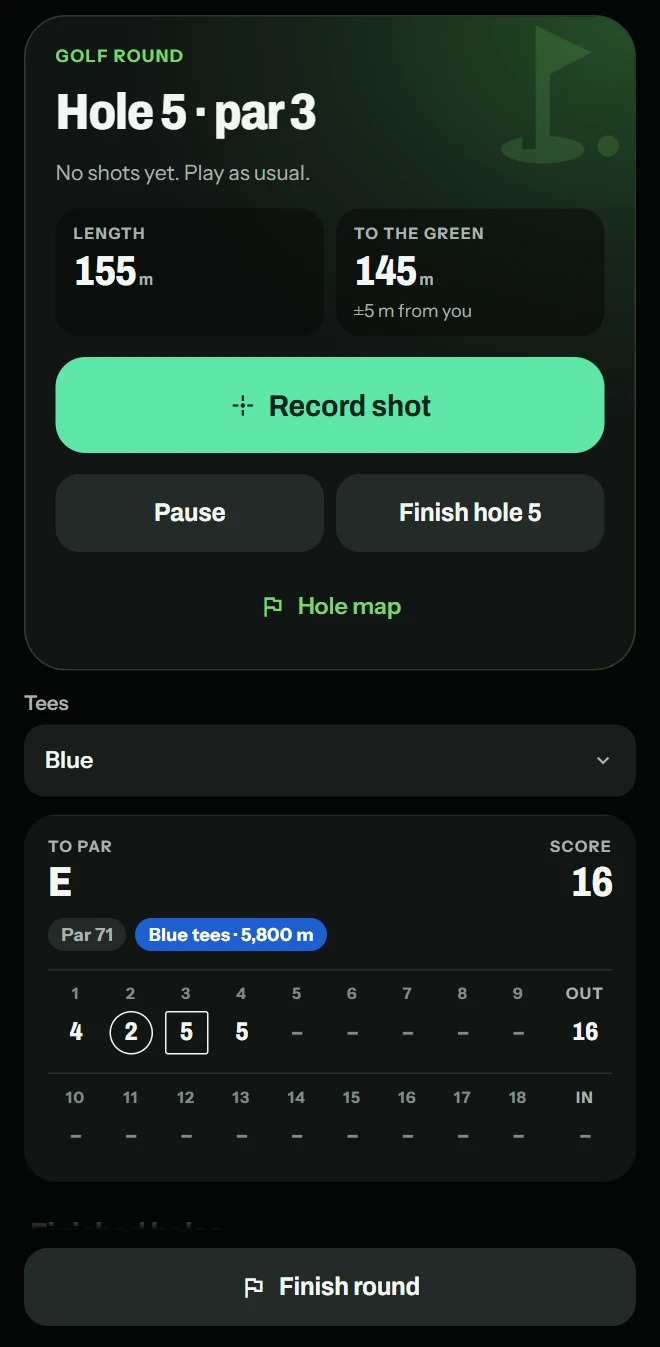
- Your scorecard fills in hole by hole: each score against its par, your total and where you stand to par.
GPS distance, always with its ±
- To the green: from where you are to the middle of the green, where the course data has it.
- Each shot: its GPS distance to the next shot, in a straight line, with its margin.
- In yards or meters, as you choose in Settings.
- A map of each hole: your shots numbered and joined where you hit them, and where you are now.
Course data © OpenStreetMap contributors (ODbL 1.0) via OpenGolfAPI.
On Apple Watch
- Round tracking detects each shot from your watch’s motion.
- The hole and its par, its map with your shots, and GPS distances with their ±, on your wrist.
- After each shot, the watch asks which club. Your score and putts go in on your iPhone.
After the round
- The round keeps its scores as they were when it ended.
- Your shots’ labels stay yours to correct: the club from your bag, the strike, the line it started on and its curve.
- Your bag shows each club’s GPS distance from your rounds and its usual range, once a club has five shots.
- Ask Coach about your rounds: it describes patterns in what you recorded, and how many shots or holes each rests on.
What you need
- An iPhone with iOS 17 or later.
- For round tracking, an Apple Watch with watchOS 10 or later.
Free and Treblew Pro
Recording a round on iPhone is free. Round tracking on Apple Watch is part of Treblew Pro, and the Free plan includes one try.
Questions
Does Treblew keep my golf score?
Yes. Finish each hole yourself, then enter your score and putts on your iPhone. The scorecard shows each hole against its par, each nine’s total, your score and where you stand to par. Putts are only ever what you enter.
Does it show the distance to the green?
Yes: the GPS distance from where you are to the middle of the green, with its margin (±), where the course data has the green. Where it doesn’t, the distance comes from the hole’s length and is marked as estimated.
Does Apple Watch detect my shots?
With round tracking on Apple Watch, yes: each shot is detected from your watch’s motion, and you can review and correct it. You can also add a shot with Record shot on your iPhone, or + on your watch.
What if my course isn’t in Treblew?
Name it once, with its 9 or 18 holes, and Treblew remembers where its first tee is. You can also correct a course’s pars and tees for yourself.
Is it free?
Recording a round on iPhone is free: the scorecard, your putts, the shots you add and their GPS distance. Round tracking on Apple Watch is part of Treblew Pro, and the Free plan includes one try.
Treblew is free to download on the App Store.