Golf swing tempo on Apple Watch
Treblew detects each golf swing on your Apple Watch and shows its tempo on your wrist, then replays your wrist’s path in 3D on your iPhone. No club sensors, calibrated to your own swing.
On the App Store. Free to download, with Treblew Pro inside.

How it works
- Calibrate once: a few swings so Treblew learns yours.
- Start a golf practice on your Apple Watch and hit balls as usual.
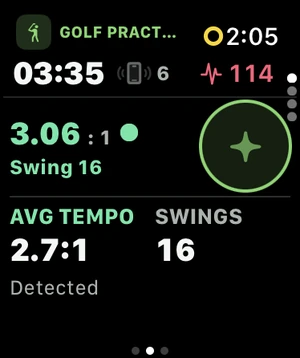
- The watch detects each swing and shows its tempo, with backswing and downswing times.
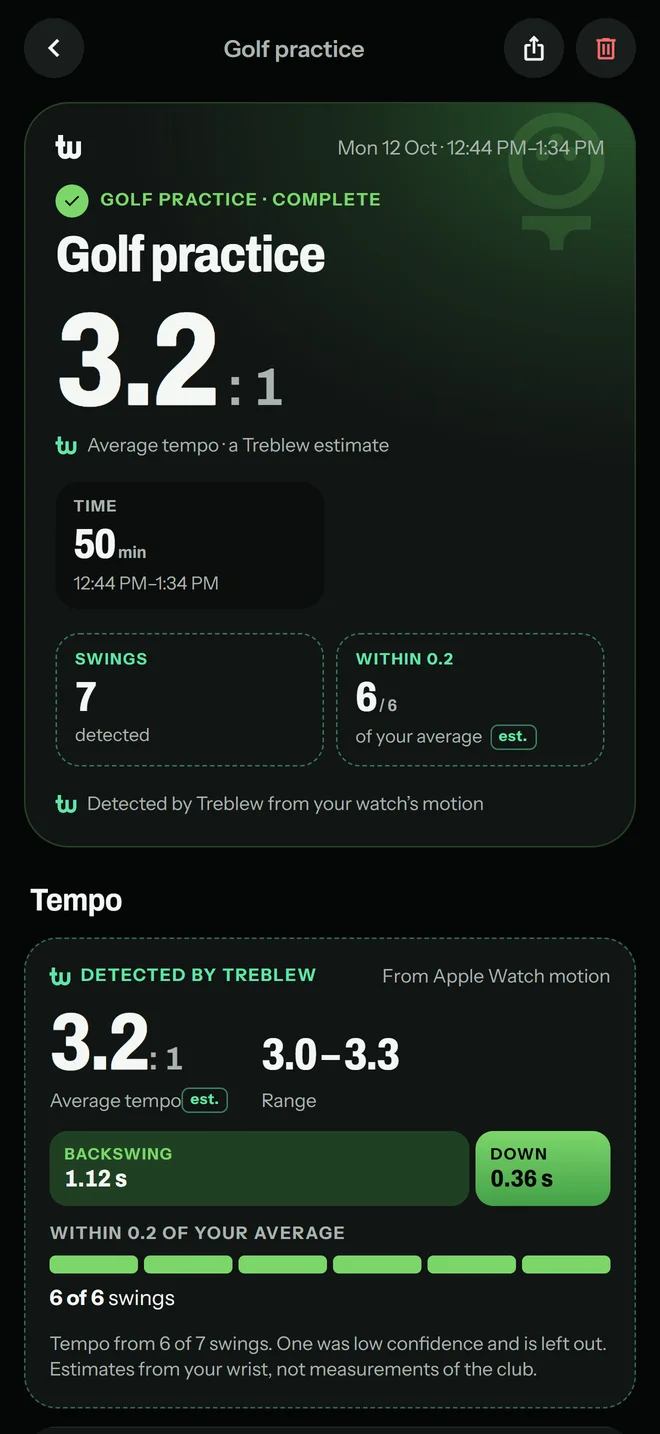
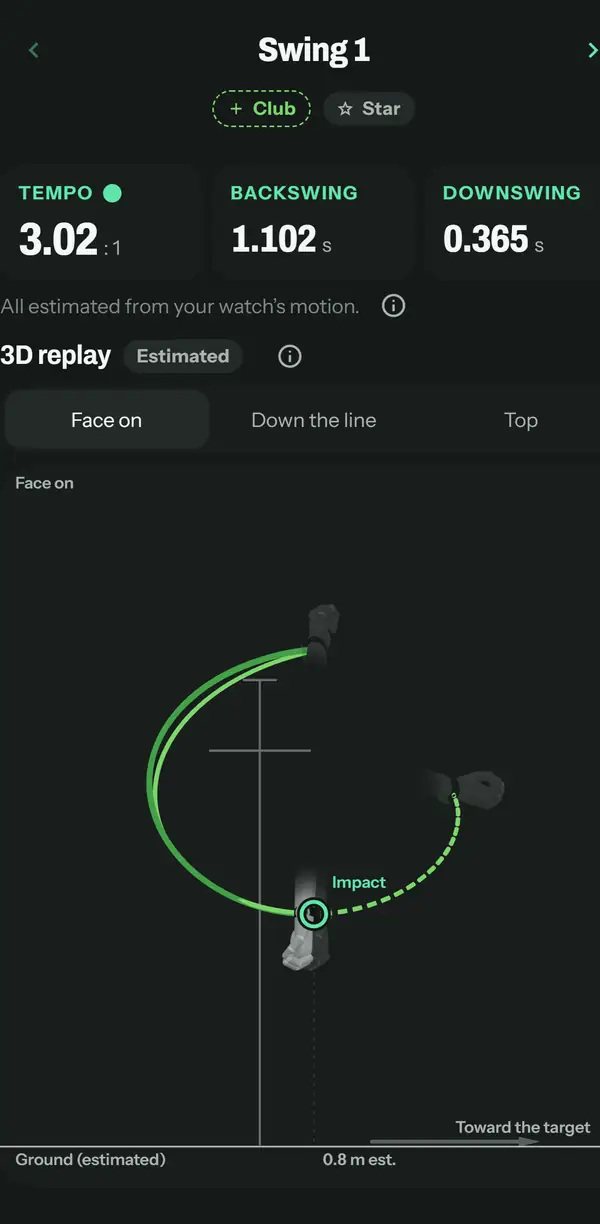
- On iPhone, open the practice: every swing in a list, your average tempo, how many swings were close to it, and a 3D replay of each one.
Your swing clips
- Lines you draw yourself, shown or hidden.
- Play a clip at ¼×; save or share it in slow motion, with only the lines you show.
- Tag a swing or a shot with its strike, the line it started on and its curve.
- Enter a swing’s carry yourself, and see your average carry by club.
The video stays on your iPhone.
What Treblew estimates, and what it doesn’t
- Estimated from your wrist: tempo, backswing time, downswing time, and your typical swing over a practice.
- Not shown: ball speed, launch, club speed or spin.
- On the course: rounds with a scorecard you enter, hole maps, and GPS distance between shots with its ±.
What you need
- An iPhone with iOS 17 or later.
- For swing detection and tempo, an Apple Watch with watchOS 10 or later.
Free and Treblew Pro
Recording is free on iPhone and Apple Watch. Swing detection on Apple Watch is part of Treblew Pro, and the Free plan includes one try for a golf practice.
Questions
Can Apple Watch measure my golf swing tempo?
With Treblew, yes. The watch detects each swing during a practice and shows its tempo on your wrist: backswing time divided by downswing time, such as 3.0 : 1. Tempo is estimated from the watch’s motion, calibrated to your own swing.
Do I need club sensors or a phone on a tripod?
Not for tempo: the Apple Watch you already wear is the sensor. Filming your swings on iPhone is optional.
What does the 3D replay show?
The path of your wrist through the swing, drawn on iPhone from the watch’s motion, which you can view down the line, face on or from above, and scrub to the top or to impact. It shows the wrist, not the club.
Does Treblew measure ball speed?
No. Treblew doesn’t read the ball. You can enter each swing’s carry yourself, with its strike, the line it started on and its curve, and see your average carry by club. On the course, distances between shots are GPS distance, shown with their margin (±).
Is it free?
Recording sessions is free on iPhone and Apple Watch. Swing detection on the watch is part of Treblew Pro, and the Free plan includes one try of it for a golf practice.
How does Treblew learn my swing?
Before your first practice, a few calibration swings let Treblew learn your swing. Afterwards, every swing it counted is in the practice on your iPhone to review.
Treblew is free to download on the App Store.