Running tracker for iPhone and Apple Watch
Record a run on your Apple Watch or your iPhone, or bring it in from Apple Health. Treblew draws your route and shows your pace, heart rate and elevation along the way, with your running form where Apple Watch measured it.
On the App Store. Free to download, with Treblew Pro inside.

How it works
- Start a run on Apple Watch: distance, pace, energy and your heart rate with its zone, on your wrist.
- Or on iPhone alone: route, distance and pace from your iPhone’s GPS, without heart rate.
- Keep the app you like: with your permission, every run in Apple Health waits in Treblew for you to review, then link to a session, add as one, or ignore.
- Turn on Save sessions, and what you record in Treblew goes into Apple Health as a workout, with its route.
Each run’s page
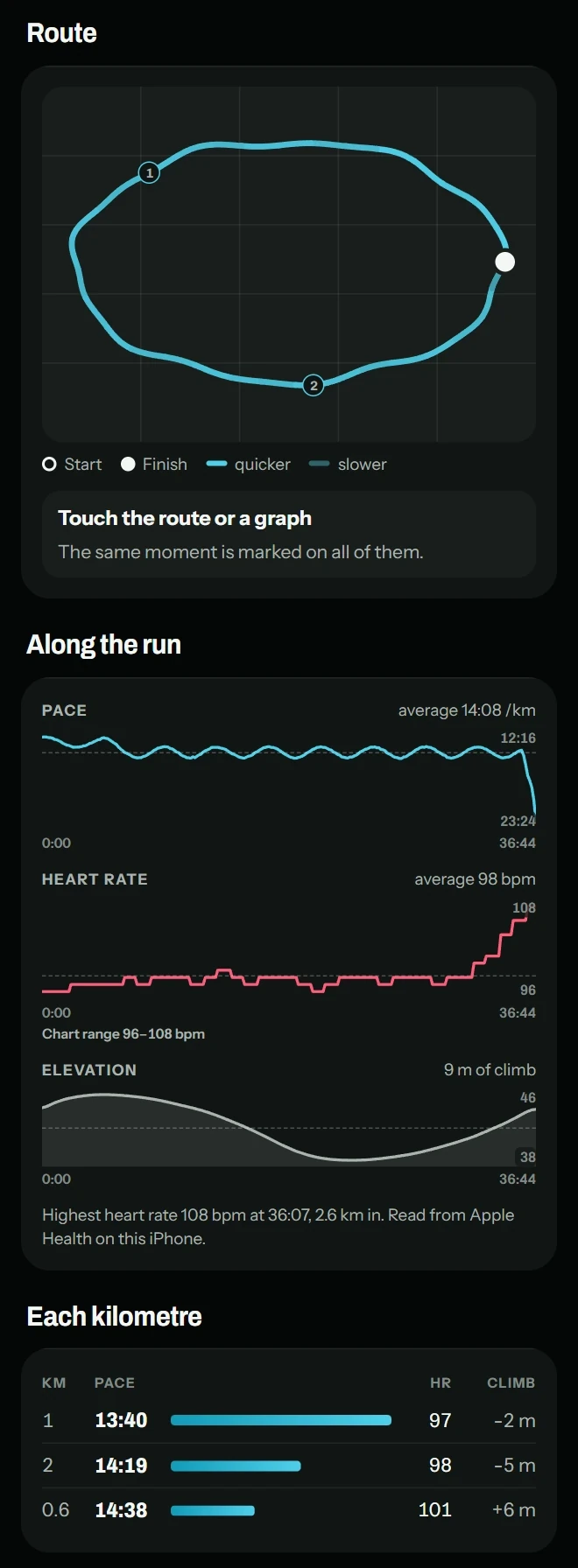
- Your route on a map, drawn in the activity’s color.
- Along the run: your pace, heart rate and elevation. Touch a graph and the same moment is marked on the map.
- Each kilometer: its pace, heart rate and climb.
- Measured by Apple Watch: heart rate, time in heart-rate zones, energy and steps.
- Running form: stride length, vertical oscillation and ground contact, on outdoor runs with Apple Watch SE, or Series 6 and later.
Goals, plans and Coach
- Count each run toward one or more of your goals.
- A plan for it: a focus and the cues you want to keep in mind.
- Plan a run for a time on your calendar, or repeat it each week.
- Ask Coach about your training. It answers from what you’ve recorded, and uses your measured values only if you allow it.
What you need
- An iPhone with iOS 17 or later.
- An Apple Watch with watchOS 10 or later.
Free and Treblew Pro
Recording is free and unlimited on iPhone and Apple Watch, with your route and what your watch measured. The Free plan includes 15 Coach questions a month and 3 goals and 1 plan at a time; Treblew Pro raises those limits.
Questions
Can I record a run without Apple Watch?
Yes. On iPhone alone, Treblew records your route, distance and pace from the iPhone’s GPS, even with the screen locked. Heart rate needs Apple Watch.
Does Treblew work with my running app?
Yes. With your permission, Treblew reads your runs from Apple Health. Each one waits for you to review it, then link it to a session, add it as one or ignore it. Nothing is added on its own.
Does Treblew show my running form?
Yes, where Apple Watch measured it: stride length, vertical oscillation and ground contact, on outdoor runs with Apple Watch SE, or Series 6 and later.
Where is my run’s route kept?
In Apple Health, with its workout. Treblew draws it from there on your iPhone, so save your sessions to Apple Health to see it. Your route and measured values like heart rate stay on your iPhone and in Apple Health.
Is it free?
Yes. Recording runs on iPhone and Apple Watch is free and unlimited. The Free plan includes 15 Coach questions a month and 3 goals and 1 plan at a time; Treblew Pro raises those limits.
Treblew is free to download on the App Store.